Layout
Explore how to create and manage Android layouts using ConstraintLayout and various views. Learn to define UI components in XML, center elements with constraints, and bind layouts and views to activities for interactive apps.
We'll cover the following...
Layout concept
A layout defines the structure of the user interface. Layouts are built via views and view groups.
Views, sometimes also called “widgets,” represent interactable components such as:
TextView- component to render textEditText- input field component where user can type textButton- clickable text component with background
ViewGroups, sometimes also called “layouts,” represent invisible containers which define the position of its children on the screen. While Android SDK contains a number of view groups, which still can be used, Google not so long ago released a new view group called ConstraintLayout.
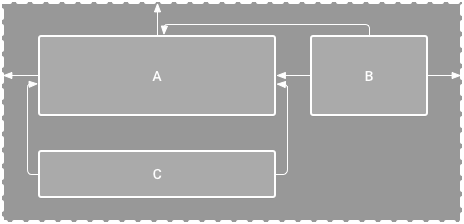
This layout comes as a separate library and uses constraints to position views on the screen. The ConstraintLayout is more complicated than Android SDK view groups, but it has a rich visual editor to help ...