Solution Practice Set 2
Explore SQL queries to analyze movie databases by listing actors with multiple roles, finding movie casts, counting actors per movie, and identifying producers without specific actors. Learn to construct joins, nested queries, and use aggregation functions to manage and analyze relational data effectively.
We'll cover the following...
Solution Practice Set 2
The database relationship model is reprinted below for reference.
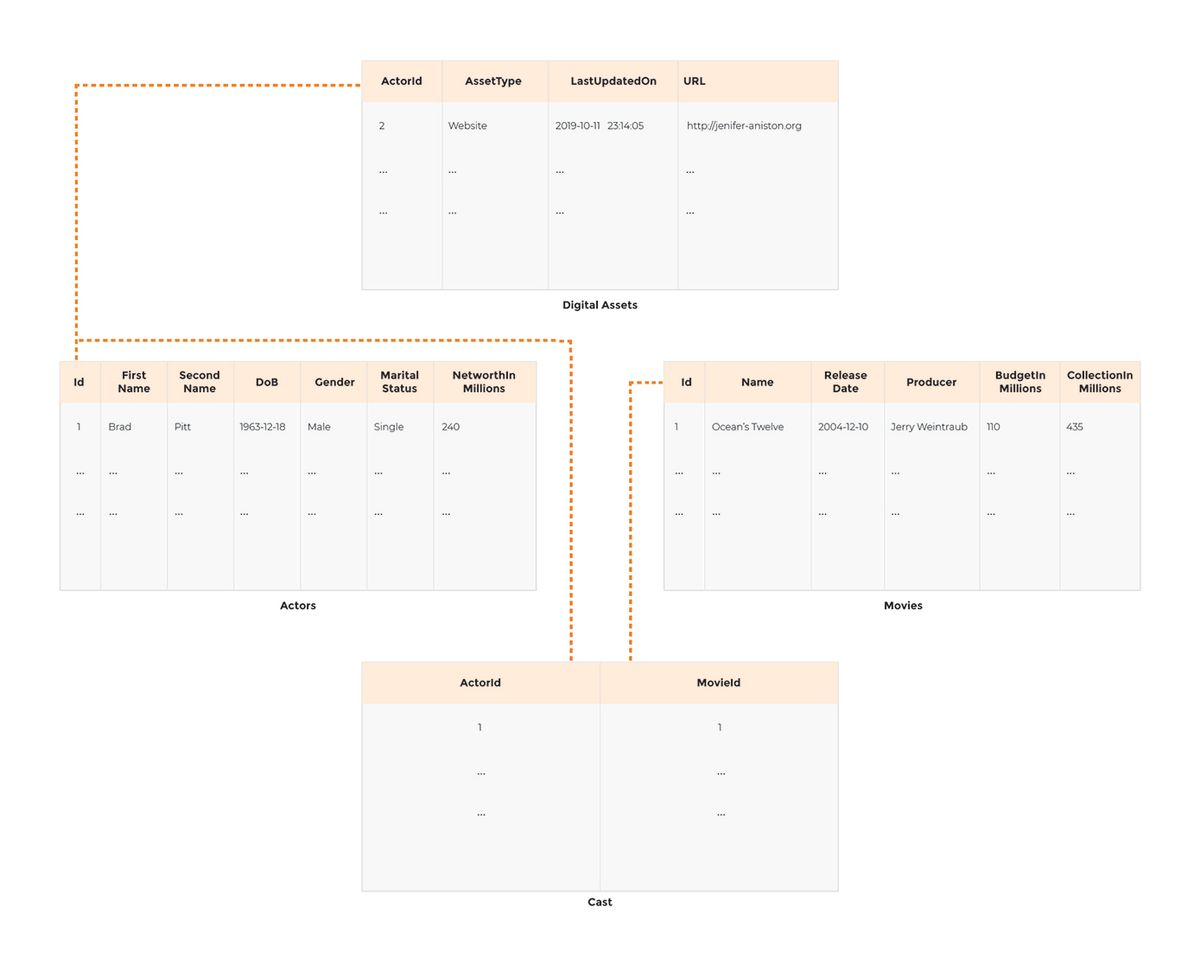
Connect to the terminal below by clicking in the widget. Once connected, the command line prompt will show up. Enter or copy and paste the command ./DataJek/Lessons/quiz.sh and wait for the MySQL prompt to start-up.
Question # 1
Write a query to display all those actors who have acted in 2 or more movies.
In this question we are required to print the names of the actors who have acted in two or more movies. The names of the actors are in the Actors table and the number of movies an actor has appeared in is in the Cast table. If we join the two tables, we can get the name of actor and the ID of the movie that the actor has starred in. Let’s see how that looks like:
SELECT Id, FirstName, SecondName, MovieId
FROM Actors
INNER JOIN Cast
ON Id = ActorId;
Each row contains a movie ID in which an actor has starred. We can GROUP BY the result of the above query by ID of each actor so that all the movies that an actor has acted in, fall into the same group. Next, we simply count the rows in each group. So far, we have the following:
SELECT Id, COUNT(*)
FROM Actors
INNER JOIN Cast
ON Id = ActorId
GROUP BY Id;
Note we have removed the columns in the SELECT clause since they don’t participate in the aggregation criteria. Now we’ll apply the restriction to only list those groups which have more than one row to fulfill the requirement to print names of only those actors who have acted in at least two movies.
SELECT Id,
COUNT(*) AS MovieCount
FROM Actors
INNER JOIN Cast
ON Id = ActorId
GROUP BY Id
HAVING MovieCount > 1;
The last piece is to print the actor’s name. The above query is printing actor Id and the count of movies the actor has been part of. We can join the result of the above query with the Actors table based on the common actor ID column the two tables hold. From the joined result we ...