Module Interface Unit and Module Implementation Unit
Get details about how the module interface unit and module implementation unit work.
We'll cover the following...
When the module becomes bigger, you should structure it into a module interface unit and one or more module implementation units. Following the previously mentioned guidelines to structure a module, I will refactor the previous version of the math module.
Module interface unit
-
The module interface unit contains the exporting module declaration:
export module math(line 7). -
The names
addandgetProductare exported (lines 11 and 13). -
A module can have only one module interface unit.
Module implementation unit
-
The module implementation unit contains non-exporting module declarations:
module math;(line 3). -
A module can have more than one module implementation unit.
Main program
From the user’s perspective, the module math (line 6) is included and the namespace math was added.
When my explanations become compiler dependent, I put them in a separate tip box. This information is, in general, highly valuable if you want to try it out.
🔑 Building the executable with the Microsoft compiler
Manually building the executable includes a few steps.
cl.exe /c /experimental:module mathInterfaceUnit.ixx /EHsc
cl.exe /c /experimental:module mathImplementationUnit.cpp /EHsc
cl.exe /c /experimental:module client3.cpp /EHsc
cl.exe client3.obj mathInterfaceUnit.obj mathImplementationUnit.obj
- Line 1 creates the object file mathInterfaceUnit.obj and the module interface file math.ifc.
- Line 2 creates the object file mathImplementationUnit.obj.
- Line 3 creates the object file client3.obj.
- Line 4 creates the executable client3.exe.
For the Microsoft compiler, you have to specify the exception handling model (
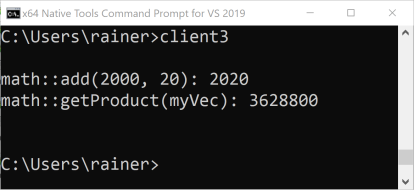
/EHsc), and enable modules:/experimental:module.Finally, here is the output of the program:
Execution of the program client3.exe