Overriding Default Schema
Explore how dbt generates schema names for models and learn to override default schema naming using custom macros in Jinja. This lesson teaches you to customize dataset targeting beyond the standard dbt profile settings, enabling clearer organization and control over your data models.
We'll cover the following...
We'll cover the following...
How dbt generates schema name
When we tell dbt to run our model in other_dataset, it creates it in dbt_course_other_dataset.

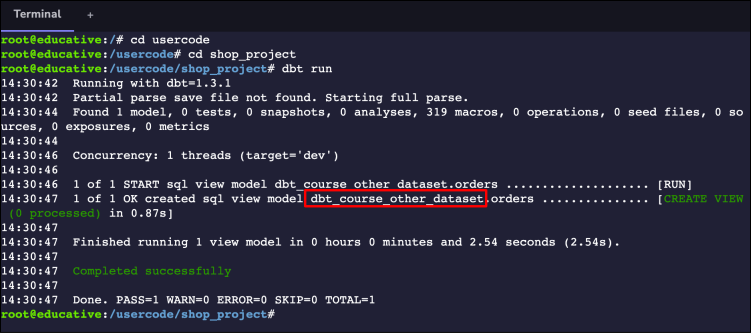
dbt creates a new dataset name
To decide in which dataset it should create the table, dbt looks at target_schema and custom_schema.
target_schema is the dataset in our profiles.yml file, whereas custom_schema is the one we specified in the config block above our model.
Here’s how dbt decides ...