Introduction to Beego ORM
Explore the fundamentals of Beego ORM, including setting up database connections, defining model structs, and registering models. Understand how to perform database operations using Go structs instead of raw SQL, and leverage features like querying, filtering, and transactions with multiple database drivers.
We'll cover the following...
Beego ORM
Beego ORM is an ORM tool for the Beego web framework in Go. It allows developers to interact with databases using Go structs instead of writing raw SQL queries.

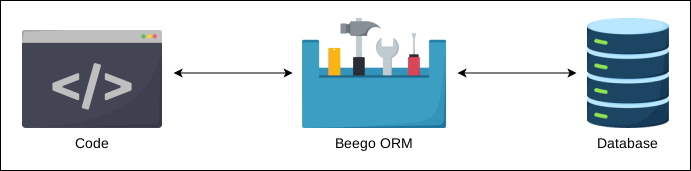
The Beego ORM framework provides a simple and intuitive API that makes it easy to perform common database operations such as querying, inserting, updating, and deleting records.
The Beego ORM supports multiple database drivers, including MySQL, PostgreSQL, SQLite, and more. This means that we can choose the database management system (DBMS) that best suits our needs and still use Beego’s ORM framework to interact with the database.
With the Beego ORM framework, we can define models that represent tables in the database and use the ORM API to perform database operations on those models. The ORM API includes functions for querying records, filtering records, sorting records, and more. We can also use the ORM API to perform more complex operations such as joins and transactions.
Database connection setup
Setting up a database connection is quite easy and is done during the initialization of the project.
To set up a database connection, we need to import the ORM package and register a database. The following example shows how to register a MySQL database:
This code establishes a connection to the MySQL database:
Lines 3–7: Required packages are imported.
Line 6: The package
github.com/go-sql-driver/mysqlis imported.
Lines 9–11: The function
init()is defined. This function is executed before themain()function.Line 10: This line of code registers the database connection with Beego’s ORM, allowing us to use ORM features to interact with the MySQL database throughout our application. The method
orm.RegisterDataBase()creates a new connection. We have passed 3 parameters to the method:"default": This is the name or alias for the database connection. Our application can have multiple database connections, each with a unique name or alias."mysql": This specifies the database driver to use, in this case, MySQL. This is usually the import path of the driver package. For example, for MySQL, the driver name ismysql."user:password@tcp(host:port)/dbname": This is the connection string that provides the necessary information to connect to the MySQL database. It typically includes:user: The username for the database.password: The password for the database user.host:port: The hostname and port number where the MySQL server is running.dbname: The name of the database we want to connect to.
Model structs
To use Beego ORM, we need to define structs that represent the tables in our database. The following example shows how to define a struct for a user table:
The name of the table is the same as that of the model structure. The only difference is underscores in the table name are converted to camel case in the structure name, e.g., the user and user_address tables are represented by the User and UserAddress structures, respectively.
Another naming convention that Beego ORM follows is that it converts the column names in the table to camel case variables in the structure, e.g., columns username and updated_at become Username and UpdatedAt, respectively.
The id column in the database should be mapped to the Id variable in the model. In our case, we used ID as the variable. In such cases, we need to explicitly tell the ORM the column name by stating `orm:"column(id)"`.
Registering structs
After defining our structs, we need to register them with the ORM. To register the User struct, we add the following statement to the initialization of the project:
orm.RegisterModel(new(User))
To register more models, we can simply add more arguments to the method like this:
orm.RegisterModel(new(User), new(Post))