Creating an Azure Data Factory Instance
Explore the steps to create an Azure Data Factory instance using both the Azure portal and Azure CLI. Learn how to set up your environment, verify the instance, and access the Azure Data Factory dashboard for managing pipelines and datasets.
We'll cover the following...
We'll cover the following...
In this lesson, we’ll walk you through the steps involved in creating an Azure Data Factory instance using both the Azure portal and the Azure CLI.
Creating an ADF instance through Azure portal UI
Launch the Microsoft Edge or Google Chrome web browser. Currently, Data Factory UI is supported only in these browsers.
Go to the Azure Data Factory Studio and choose the “Create a new data factory radio” button.

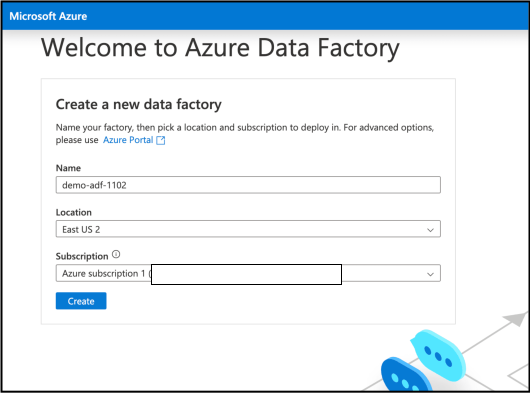
Azure data factory landing page
...