Creating the Web Server
Explore how to create a configurable web server in Deno by writing a server function that accepts parameters through an interface. Learn to apply dependency inversion to inject business logic, enabling better testability and modularity. By the end, you will understand how to connect HTTP requests to your controller’s methods and verify your server's responses.
We'll cover the following...
Steps to create a server
Now that our functionality is in place, we need to expose it via a web server. Let’s use what we’ve learned from the standard library to create it by following these steps:
- Create a file named
index.tsinside thesrc/webfolder, and add the logic to create a server.
Since we want our application to be easily configurable, we don’t want the port to be hardcoded here but to be configurable from the outside. We need to export this server creation logic as a function.
- Wrap the server logic creation inside a function that receives the configuration and
portas an argument:
We’ll notice that the TypeScript compiler will warn us that we shouldn’t use the port defining its type.
- Make this function’s parameters an interface. This will help us in terms of documentation and will also add type safety and static checks:
Now that we have configured the web server, we can think of using it for our use case.
- Go back to
src/index.ts, importcreateServer, and use it to create a server running on port8080:
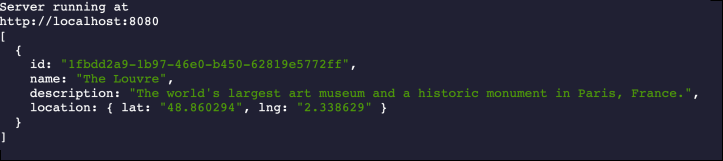
5. Run it and see if it works:
deno run --allow-net src/index.ts
Here, we can see that we have a log stating that the server is running: