Configuring the Backend for Automated Deployment
Explore how to configure your Django backend for automated deployment using GitHub Actions and AWS EC2. Learn to generate SSH keys, set GitHub Secrets, write deployment scripts, and build a CI/CD pipeline to streamline production deployment.
Let’s write the GitHub Action file and configure the backend for automatic deployment.
At the root of the project, we’ll create a directory called .github, and inside this directory, we’ll create another directory called workflows. Inside the workflows directory, we’ll create a file called ci-cd.yml. This file will contain the YAML configuration for the GitHub Action. Let’s start by defining the name and the events that will trigger the running of the workflow:
The workflow will run every time there is a push on the main branch. Let’s go on to write a build-test job. For this job, we will follow three steps:
Inject environment variables into a file. Docker will need a
.envfile to build the images and start the containers. We’ll inject dummy environment variables into the Ubuntu environment.After that, we will build the containers.
Finally, we run the tests on the API container.
Let’s get started with the steps:
Step 1
Let’s start by writing the job and injecting the environment variables:
The tests will probably fail because we haven’t defined the GitHub Secret called TEST_SECRETS.

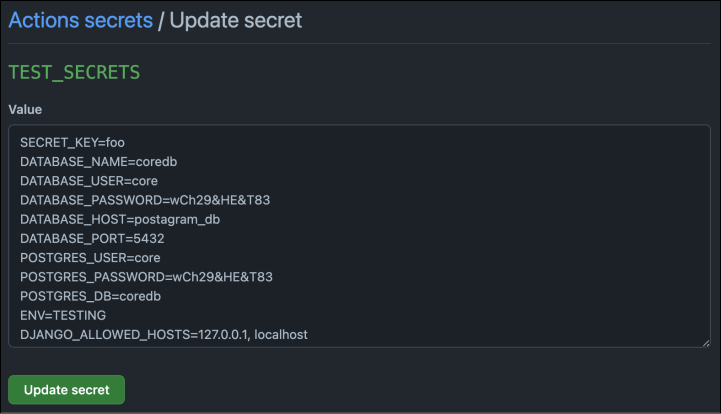
Step 2
Next, let’s add the command to build the containers:
Step 3
And, finally, let’s run the pytest command in the api container:
Great! We have the first job of the workflow fully written.
Step 4
Let’s push the code by running the following command and see how it runs on the GitHub side: