Linking Projects to a Billing Account
Understand the process of linking Google Cloud projects to billing accounts using both the console and gcloud commands. Learn how to modify existing projects, assign billing during new project creation, and manage required IAM roles to ensure billing is properly configured.
In this lesson, we will link the project to the newly-created billing account. Linking the project to the newly-created billing account is very simple. Let’s go step by step.
Billing account and projects
There are two cases to link a project to the billing account,
-
Modifying billing of existing projects
-
Choosing the new billing account while creating a new project.
Modifying existing projects
If you already have more than one project, you can change the billing account for it in just two clicks.
Follow these steps:
-
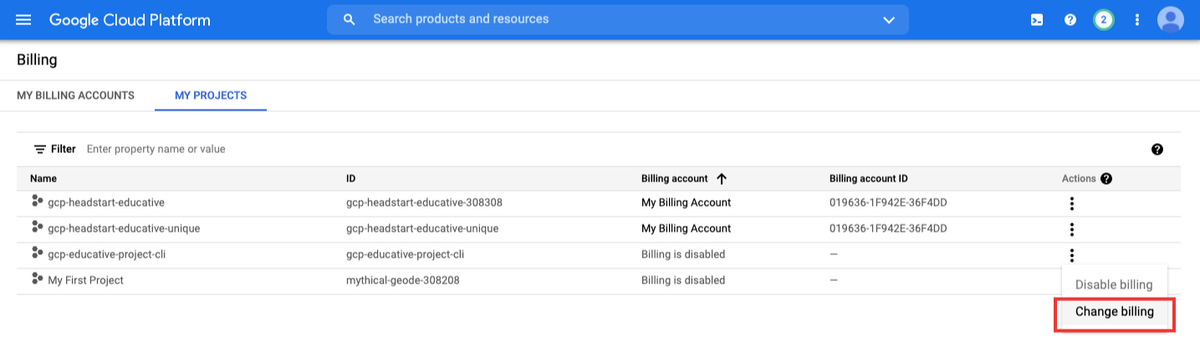
Open Main menu > Billing > My projects
-
Click on the three dots icon associated with the project and choose “change billing”.
- Select the new billing account and click the