Real World Use Cases
Explore the three main ways to apply styles in CSS: inline, embedded, and external stylesheets. Understand their benefits and drawbacks, and learn how to organize CSS effectively across multiple pages for real-world web development.
We'll cover the following...
One Style, Many Ways
In the real world i.e outside this interactive platform, I don’t want you confused. So how would you define styles in CSS?
There are 3 ways to do this, and I will explain them with good examples.
1.Inline Styles
Inline styles are the easiest way to style a document. But they come with a cost. Consider the basic markup below:
To style the h1 element , you may use the style attribute. Like this:
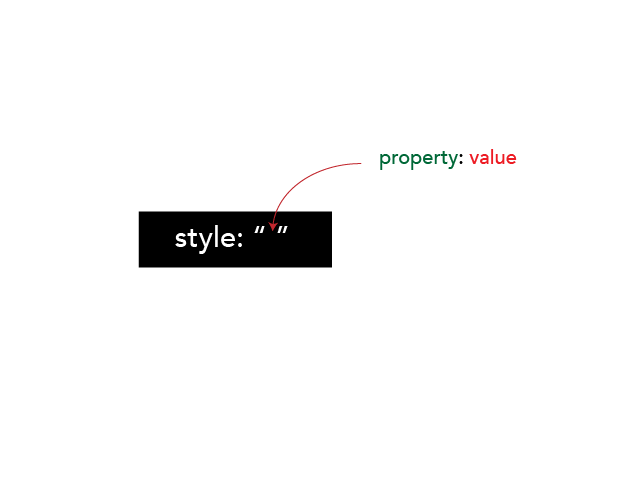
This will give the h1 a color of red. While this may look as an easy alternative. it is very hard to maintain.
Assume you had a really long document with over 20 paragraphs styled with the style attribute. How do you manage multiple changes to the paragraphs?
You’d have to go through all the paragraphs painfully and edit them with in the html markup.
Also, inline styles are not resusable. Inline styles just target the parent element. In this case, the particular h1 tag. If you want to style another h1 tag, you’ll have to rewrite the style!
Very painful process indeed.
2.Embedded Styles
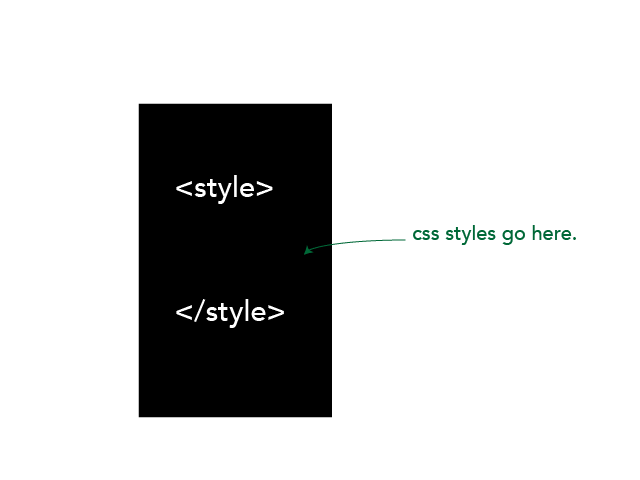
The second way to style a document is to use the style tag. Within this tag, you may write all the CSS you want. Use classes, selectors, any valid CSS.
Let’s get back to the initial example:
Style the h1 element like this:
What to Note is this:
The style tag must be within the head of the document.
This looks good, huh?
There’s also one problem with this approach.
If you have 3 different html documents e.g. about.html, index.html and main.html you cannot resue the style declarations from one document to another.
You’d have to copy the same styles and have them within the head of each single page. That isn’t very cool.
What if we could write the styles in one styles.css document and reuse it accross all pages?
That is exactly what we will do next.
3. External Stylesheet
You remember most of the problems with the other methods of styling a document? An external stylesheet solves most, if not all of these problems.
An external stylesheet is usually a file with a .css extension. e.g style.css, example.css , anything.css. You get the idea.
After creating this file, you then link to it from your html file.
Aaargh, you didnt get that?
Let’s see an example.
Assume we have two different files. One, an index.html file and the other, a style.css file.
As expected the html markup of the site lives in the index.html file.
We will also write all the css for the website in the style.css file.
If the index.html file contained the markup shown below:
We can safely remove the embedded style from line 6 to 10 and have it in the style.css file (without the <style> tags, that is).
Then, the style.css file will be linked within the head of the index.html file like this:
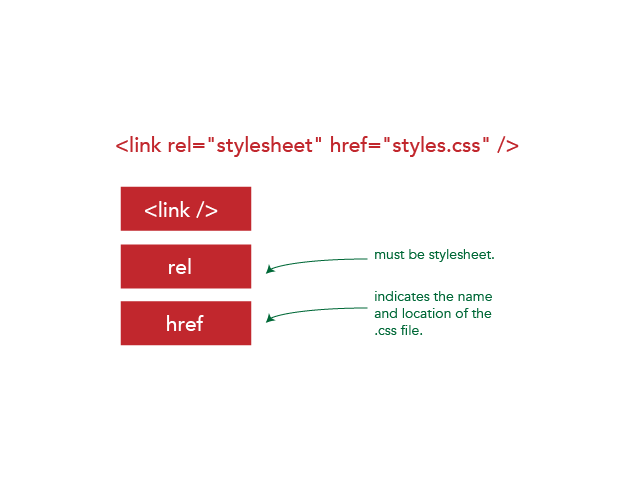
So, there are three major components.
- The self closing
linktag - The rel attribute, which must be set to
stylesheet - The href attribute, which defines the name and location of the
.cssfile.
NB: You’ll find some codebase using
type="text/css"i.e<link rel="stylesheet" type="text/css" href="styles.css" />.
This is NOT required, as we are using html5. Thus, don’t sweat it.
The href attribute.
The href attribute, like I said earlier, defines the name and location of the .css file.
If the index.html and style.css are in the same folder then the href attribute will be this: href="styles.css"
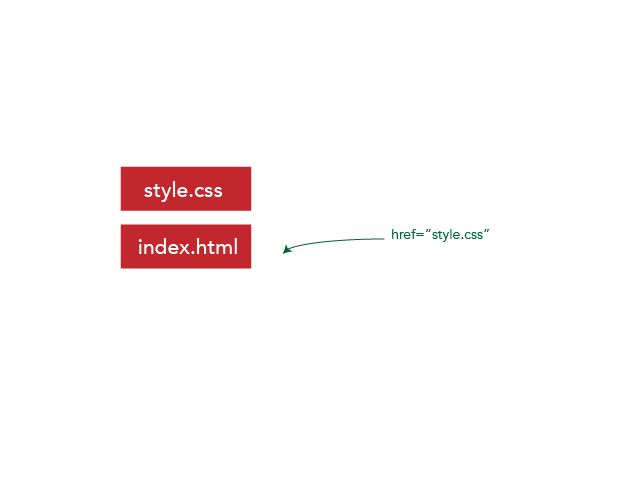
Ideally, you may want to follow a rather structured approach and put the style.css file in a style folder.
In this case, the href atribute will be this: href='css/style.css' where css is the name of the folder where style.css lives.

It is very likely that you have multiple html pages. e.g about.html may contain the about us information of the site. faq.html may contains information on faqs.
How do you link the styles in this case?

with a folder structure as shown in the image above, the href attribute will be this: href='../css/style.css'
The ../ means “go up one directory” and find the css folder, then get the style.css file.
Conclusion
This was a pretty long one.
Enjoyed it?
Let’s move on to the final bits of the course.