The font stack
Explore how to create prioritized font-family lists in CSS, including system font stacks, to ensure your website displays fonts effectively across different devices. Understand fallback strategies to enhance typography and achieve a native app feel in your designs.
We'll cover the following...
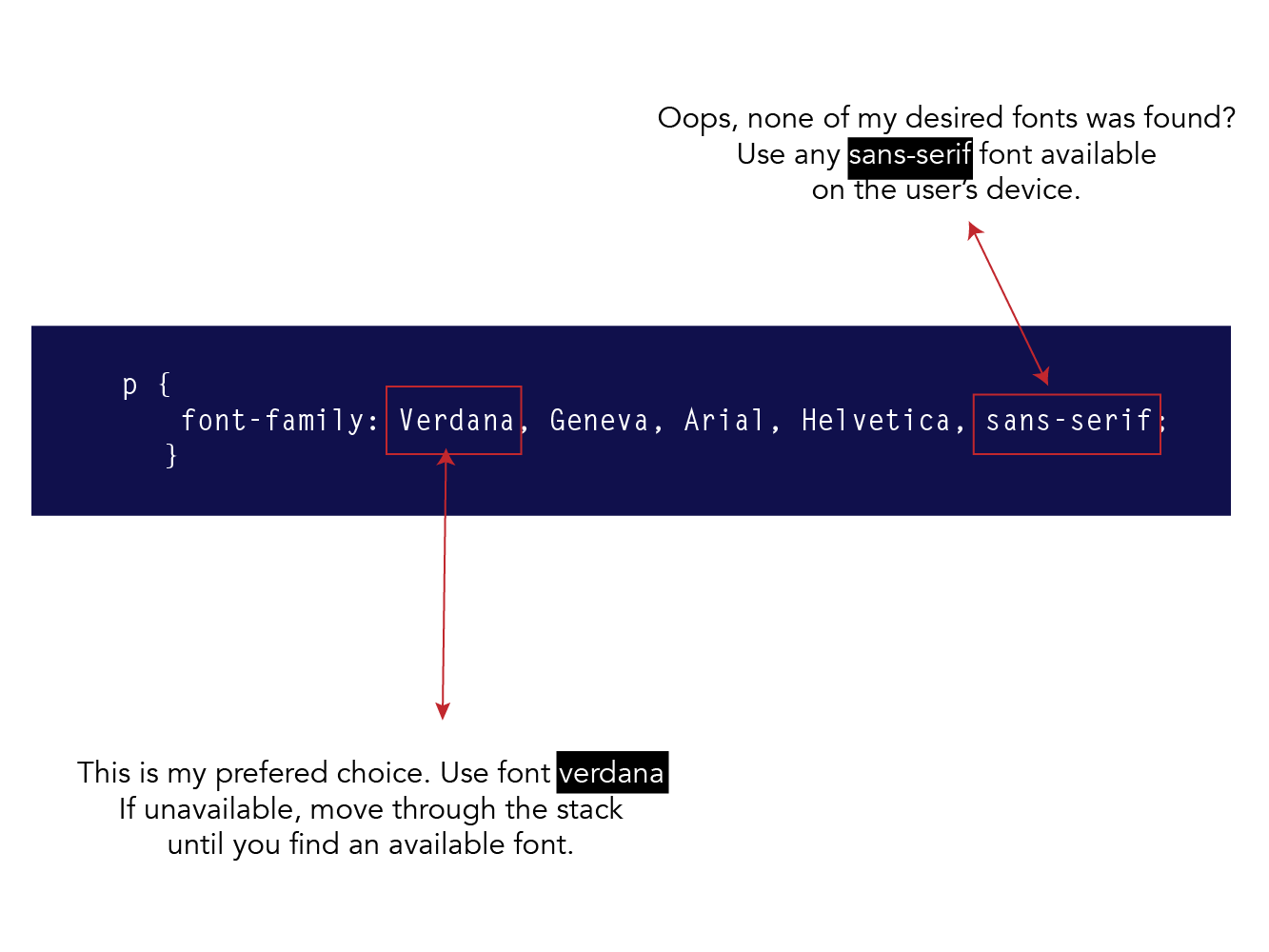
Let me show you what a more practical font-family declaration would look like:
What’s that?
Here is what’s going on.
The font-family property may be used to define a prioritized list of font family names and a generic font family name to be used.
In the declaration above, if the user has the font, Verdana installed on their system, great! The browser will use Verdana.
If Verdana does not exist, then Geneva wil be used. And if that doesn’t exist too, Arial will be used. Oh, so Arial isn’t installed on the user’s pc too? then Helvetica will be used.
Finally, if none of the specified fonts are found installed on the user’s device, then whatever font is of the family, sans-serif will be installed.
Remember that sans-serif is a generic font family.
System Font Stack
If you want to use the native font of the operating system of the user, do this:
.system-font-stack {
  font-family: -apple-system, BlinkMacSystemFont, "Segoe UI", Roboto, Oxygen-Sans, Ubuntu, Cantarell, "Helvetica Neue", Helvetica, Arial, sans-serif;
}
This may help you get close to a native app feel. You love that?
Keep going champ! You’re doing great. 👍