Building a Multi-Server MCP Using AWS Bedrock Agent

Building a Multi-Server MCP Using AWS Bedrock Agent

CLOUD LABS


Building a Multi-Server MCP Using AWS Bedrock Agent

In this Cloud Lab, you’ll build an AgentCore Harness integrating custom MCP servers with the AWS-managed DynamoDB MCP server to demonstrate multi-service orchestration and data management.

8 Tasks

intermediate

1hr 30m

Certificate of Completion

Desktop OnlyDevice is not compatible.
No Setup Required
Amazon Web Services

Learning Objectives

Working knowledge of the Model Context Protocol (MCP) and how it enables secure data exchange between AI agents and custom external services
The ability to configure and deploy an Amazon Bedrock Agent, linking it to action groups that define its custom functionalities
Hands-on experience developing a Lambda function to facilitate communication with the MCP servers hosted on a remote EC2 instance
The ability to integrate the full solution, including using DynamoDB for persistent storage via the custom and AWS-managed MCP servers

Technologies
Bedrock
Lambda logoLambda
DynamoDB logoDynamoDB
Cloud Lab Overview

Model Context Protocol (MCP) is a vital communication standard for AI agents. It allows an agent to securely exchange context and data with external, custom application servers using defined functions. Mastering MCP is crucial for integrating intelligent assistants with existing enterprise systems and services.

In this Cloud Lab, you will learn to build an Amazon Bedrock AgentCore Harness that acts as the AI-powered assistant, responsible for checking weather conditions and managing training-related tasks. The lab simulates a distributed enterprise architecture, differing significantly from a single-process Python tutorial. It demonstrates how the Harness connects directly to remote MCP servers as tools, how multiple independent MCP servers collaborate, and how managed services are composed in real deployments. The goal is to simulate realistic architecture and communication flows where components run across AWS services (EC2, DynamoDB) and the Harness invokes remote MCP tools directly.

The comprehensive operational flow of the lab begins with the user interacting with the Bedrock AgentCore Harness, which connects directly to the EC2 instance hosting the MCP servers for “Weather” and “Task” operations via a Remote MCP server tool. These operations utilize DynamoDB for persistent data storage, demonstrating real-world AI integration.
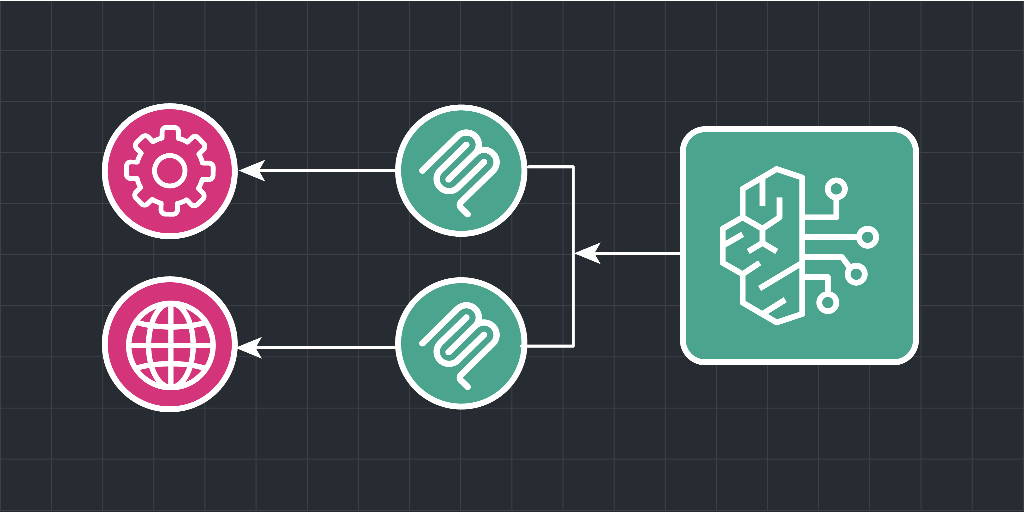
A high-level architecture diagram for the Amazon Bedrock AgentCore Harness and MCP integration

After completing this Cloud Lab, you will have enough knowledge to configure and deploy an Amazon Bedrock AgentCore Harness with a Remote MCP server tool. You will have gained practical experience in connecting a Harness directly to external EC2-hosted MCP services and managing persistent data in DynamoDB, which is essential for building secure, custom, and enterprise AI solutions.

Cloud Lab Tasks
1.Introduction
Getting Started
2.Provisioning the MCP Servers
Create the Training Session DynamoDB Table
Launch the Model Context Protocol Server Instance
Understand the MCP Implication
3.Build and Test the Bedrock AgentCore Harness
Connect MCP Server to AgentCore Harness
Testing MCP Sever With AgentCore Harness
4.Conclusion
Clean Up
Wrap Up
Labs Rules Apply
Stay within resource usage requirements.
Do not engage in cryptocurrency mining.
Do not engage in or encourage activity that is illegal.

Relevant Courses

Use the following content to review prerequisites or explore specific concepts in detail.

Hear what others have to say
Join 1.4 million developers working at companies like