Create a State Machine from AWS Templates
Discover how to create and deploy AWS Step Functions state machines using AWS sample projects. Learn to orchestrate Lambda functions, manage workflows, trigger executions via AWS CLI, and handle resource cleanup. This lesson helps you understand the practical setup and execution of serverless workflows with integrated cloud resources.
We'll cover the following...
In previous lessons, we utilized a premade “Hello World” project to build our workflow. However, it's important to note there are multiple avenues for creation. While we will explore the use of Visual Studio in an upcoming lesson, another viable option is the use of AWS sample projects. With the finished sample project as a foundation, we'll construct some resources within the AWS cloud, enabling us to observe and understand the orchestration process.
Sample projects
Let's navigate to the AWS console and select the AWS Step Functions service. We will see a list of all of our state machines.

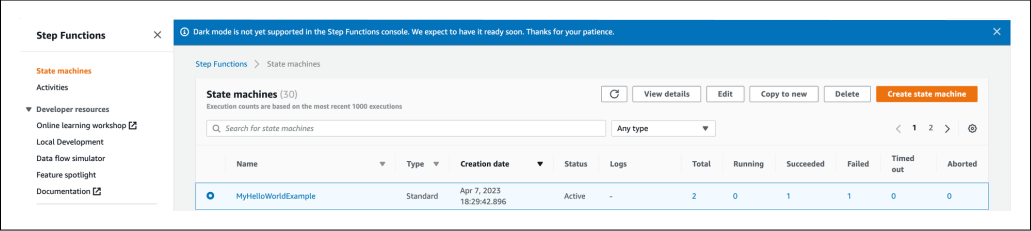
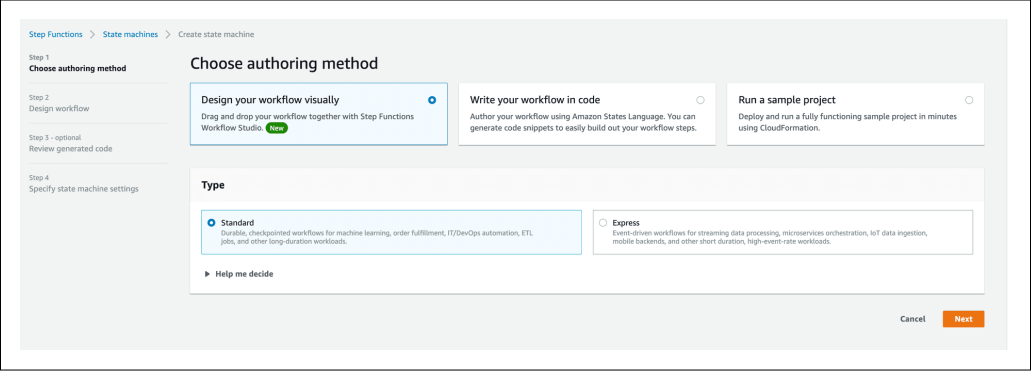
Click “Create state machine.” We will see three options:
"Design your workflow visually" (it will be covered later).
"Write your workflow in code."
"Run a sample project" (which we will be using now).

Select “Run a sample project.” We can see the whole list of sample examples, both from the standard step functions type and from the express one:

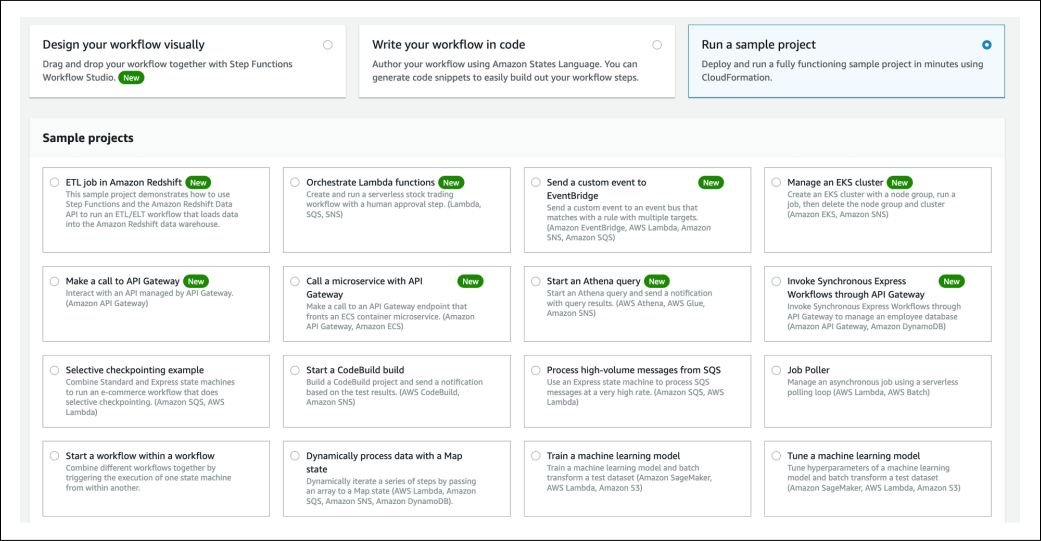
Please select “Orchestrate Lambda functions” and scroll down. We can see the definition and the graph of the workflow. The workflow is about ...