Introducing Sliders and Range Sliders
Explore how to create and customize Slider and RangeSlider components in Dash to allow users to select data subsets interactively. Understand key parameters and how to link slider values to filter variables for dynamic chart updates.
Final goal
The Slider and RangeSlider components are basically circles that users can drag horizontally or vertically to set or change a certain value. They are typically used for setting continuous values, as their appearance and dragging functionality are a natural fit for that. But this is not a requirement since we can use them for categorical/discrete values as well.
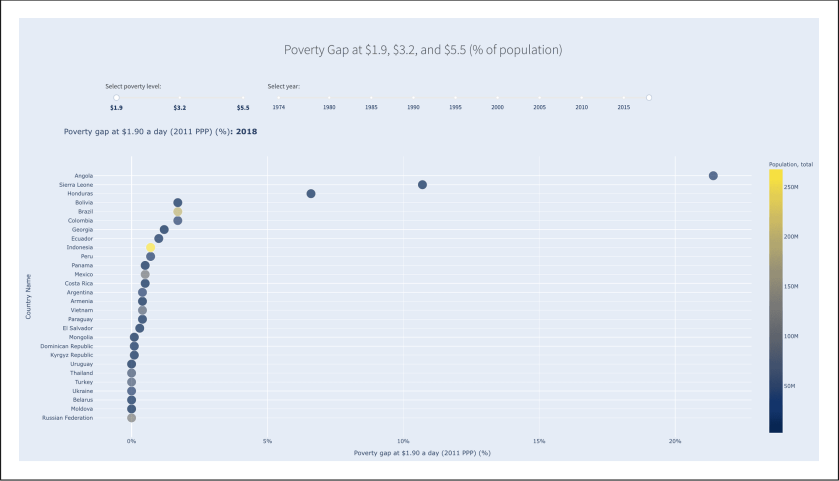
We have seen that we have three levels of our perc_pov_ metrics, and we know that we have all the years in our dataset to choose from. We now want to create two sliders.
- One allows users to select the level of poverty that they want to analyze.
- The other allows them to select the year.
Each combination of selections will create a different subset and result in a different chart. The illustration below shows the top part of the end result that we’ll be ...

As we can ...