Demo: Creating and Connecting a Source Code Repo with IAM User
Explore how to create an AWS CodeCommit repository through the console and AWS CLI. Understand connecting the repo using Git commands with IAM user permissions and various authentication options, enabling smooth source code management in AWS.
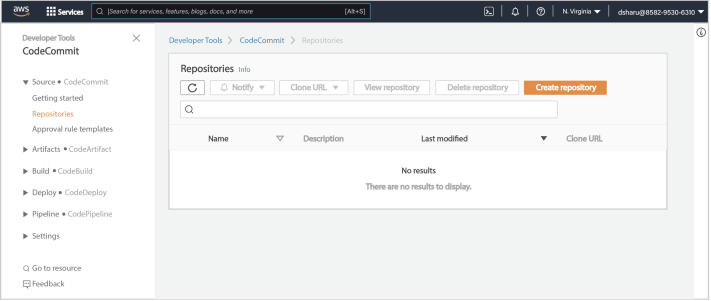
Let’s search for the CodeCommit service and launch AWS CodeCommit from the AWS Management Console. Currently, there are no repositories available.
Create an AWS CodeCommit repository from the console
We can create one using the “Create repository” button from the screen below. A system administrator will want to use the AWS CLI to develop a script and automate the repository creation process. This will make the process repeatable and error-free if they want others in their team to perform this task in the future.

Create an AWS CodeCommit repository from CLI
We can use the AWS CLI command create-repository and pass the command line option repository-name, and create a repository ...