How 'Company Knowledge' solves the internal search problem
A common issue in engineering teams is the scattering of information. Specs end up in Google Drive, decisions get buried in Slack threads, code lives on GitHub, and learning materials reside in separate tools. Each new system adds another place where context can hide. The result is predictable: it takes longer to track down the information we need to make progress.

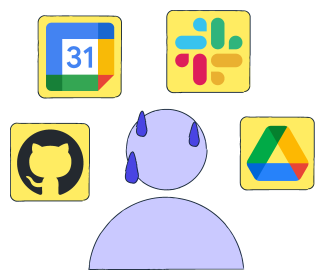
A common reflection from engineering and product teams is that our tools continue to improve, but our ability to quickly find the right information has not kept pace. Internal search tools often fall short, and switching between apps disrupts the flow. Even when a teammate shares useful context, it is often buried deep in a thread or lost in a document’s history.
This is the environment into which OpenAI has launched a feature aimed directly at addressing the fragmentation problem: ChatGPT company knowledge, which is a unified way to converse with our organization’s collective intelligence.
This newsletter examines the feature’s functionality, its operation, and its implications for our workflows. Most importantly, we walk through a practical example that demonstrates its real value.
What is ChatGPT company knowledge?#
OpenAI defines company knowledge as a feature that enables ChatGPT Business, Enterprise, and Edu users to connect their organization’s internal applications, allowing the model to provide answers grounded in private, context-specific data while respecting all existing permissions. It enables ChatGPT to utilize our organization’s context, from connectors, to provide answers specific to our company and projects, along with clear citations back to the sources.


In practical terms, this means ChatGPT can interpret and consolidate information stored across authenticated tools such as Google Drive, Slack, GitHub, SharePoint, etc. Instead of manually switching between applications or searching through multiple locations, we can ask natural questions such as:
“Where did we leave the Q4 goals conversation?”
“Summarize all recent feedback from our highest-priority client.”
“What was decided in the last architecture review?”
In return, we receive responses grounded in internal files and messages, backed by traceable citations. This capability turns ChatGPT into an internal knowledge interface that surfaces the right information at the moment we need it, without changing how our data is stored or accessed.
Key takeaway:
With company data connected, ChatGPT’s company knowledge acts as a single search point across our tools. It reduces the back-and-forth of checking documents and threads by returning a consolidated response.
Supported apps and connectors#
According to the official release materials and help center documentation, this feature currently works with connectors built by OpenAI, which include Google Drive, Slack, GitHub, SharePoint, Gmail, and others. This means we can bring nearly all our work data, such as documents, chats, tickets, and code discussions, under one interface.
Activating our internal expert: A step-by-step guide#
Unlike typical ChatGPT interactions, company knowledge is not automatically enabled for every conversation. It must be activated when we want the model to access connected apps. This approach preserves privacy and ensures intentional usage. Below is the three-step flow for using it.
Step 1: Start a new chat and enable the mode#
When we open ChatGPT, we initiate a new conversation. Under the message composer, we select “Company knowledge” to enable it for that chat. If we are already in a conversation, we open the tools menu by using the + button and select “Company Knowledge” from there.


Step 2: Connect workplace applications#
Company knowledge works only after we authenticate our connectors. Users authenticate each connector (i.e., Slack, Google Drive, GitHub) using OAuth the first time they use the feature, unless an admin handles this on their behalf. Admins must enable connectors for “Enterprise/Edu” users at the workspace level before individuals can link their accounts.


This ensures the feature adheres to our existing app permissions. ChatGPT cannot access anything we cannot access ourselves.
Step 3: Ask questions naturally#
Once company knowledge is enabled and connectors are authenticated, the user simply asks a question, such as “Summarize the latest risks from the account channel” or “Where did we finalize the onboarding plan?”
ChatGPT then searches across connected apps simultaneously and responds with:
A synthesized answer
Citations to the underlying sources
Links to verify information within each app
This is where the feature becomes transformative; the conversation becomes a single point of truth.
A practical scenario: Navigating a policy question#
A feature like company knowledge is best understood through a real example. In this scenario, we walk through a simple yet common workplace task: finding the most accurate policy information without having to switch between documents or re-read entire files. The goal is to demonstrate how the feature, like company knowledge, reads, interprets, and synthesizes internal content stored in connected applications.
Setting the stage#
Suppose our organization maintains an internal resource stored in Google Drive. It contains multiple sections on working hours, remote work rules, travel guidelines, and equipment reimbursement policies. Here is how our file looks:
Like many internal documents, the file has grown over time, making it challenging for teams to recall every detail or locate specific items quickly.
Consider a straightforward example, such as submitting a reimbursement for home office equipment. The policy exists, but the details—such as the amount, eligible items, and approval rules—are easy to forget. Normally, you’d dig through the policy document and probably confirm the specifics with a manager. When company knowledge is connected to ChatGPT, you can ask for the exact policy and get the answer immediately.
Asking the question#
The employee starts a new conversation in ChatGPT, connects to the Google Drive tool, enables company knowledge, and simple asks a question:
Question: What is our current policy on reimbursement for home office equipment for remote employees? |
This question does not specify the document name, the relevant section, or any keywords. Instead, it mirrors how a team member would ask the question during a meeting or in a hallway conversation.


Understanding what happened#
As we can see, using the company knowledge feature, ChatGPT searched across the connected files in Google Drive and retrieved the exact policy language from the document. The feature identified the relevant sections, stipend amount, allowed items, and approval process, and synthesized them into a concise, grounded answer. The citations included alongside the response make it easy to verify the information inside the original document.
Why this example matters#
This scenario illustrates three essential capabilities that company knowledge brings to our workflow.
First, it demonstrates how internal documents can be made searchable through natural language, rather than relying on file names or keywords.
Second, it illustrates how the feature extracts only the relevant portions of a longer document, reducing the time spent hunting for specific information.
Third, it reinforces the value of citations, which help teams validate answers and maintain trust in the system.
Taken together, these capabilities position company knowledge as a practical tool for navigating day-to-day questions that would normally require manual effort, distraction, or confirmation from multiple people. It enables our teams to work with greater clarity and speed, and it reduces the friction that often comes with understanding organizational policies.
Connectors vs. company knowledge#
At this point in the walkthrough, a natural question arises: if we already have Connectors that let ChatGPT read files from Google Drive or GitHub, what exactly does company knowledge add? Both appear to grant the model access to internal data, but the experiences they enable are fundamentally different.
Connectors act as bridges. They allow ChatGPT to open and read individual files when we point to them directly. Company knowledge, however, creates a unified understanding of our workspace. Instead of fetching a single file on request, it automatically searches, interprets, and synthesizes information across all connected sources.
The table below highlights the differences:
Concept | Connectors | Company Knowledge |
How it works | Opens specific files we point to. | Searches across all connected files automatically. |
Query style | Requires file names or links. | Natural questions without specifying documents. |
Output | Information from a single source. | Consolidated, citation-backed responses. |
Conflict handling | No cross-file reasoning. | Identifies the most relevant or updated information. |
In short, connectors provide access; company knowledge provides understanding. Together, they enable us to transition from locating information to simply requesting it.
Is our internal data secure?#
Company knowledge is built with the same security standards that govern ChatGPT’s enterprise platform. It operates entirely within existing access controls, meaning ChatGPT can only view data that each user is already permitted to access. Nothing outside those permissions becomes visible to the model.
OpenAI does not use customer data to train its models by default, and all interactions remain within the organization’s security boundary. Authentication occurs through OAuth, ensuring that data access adheres to established identity and compliance rules. Enterprise controls, including


Together, these safeguards ensure that company knowledge enhances our ability to work with internal information without compromising the protection of our data.
Limitations and the road ahead#
Company knowledge is a powerful feature, but there are a few current limitations to be aware of:
Company knowledge must be manually enabled in each new conversation.
ChatGPT cannot browse the web while the feature is active.
Image generation is disabled when company knowledge is turned on.
Connectors still work without company knowledge, but responses will not include the same level of cross-file reasoning or citations.
Support is currently limited to first-party connectors, with plans to extend support to additional connectors in the future.
These limitations reflect the current scope of the feature as it continues to evolve toward a broader, more integrated workspace experience.
Conclusion#
In a world where knowledge is stored everywhere, the cost of context-switching has become one of our biggest productivity drains. ChatGPT’s company knowledge represents a meaningful shift: instead of searching for information across multiple apps, we bring our apps into a single, conversational interface.
This is a restructuring of how we access collective intelligence at work. By grounding answers in our private documents, messages, and repositories, ChatGPT becomes a trustworthy, unified knowledge layer for the organization.
As systems become more complex, reducing friction and keeping context accessible become increasingly important. Connecting company knowledge to ChatGPT helps by giving us a unified way to surface information from across our tools. It won’t solve everything, but it’s a strong step toward a workspace where answers are easier to find.
Want to learn more? Check out our new course on OpenAI:

In this hands-on course, you will learn how to utilize OpenAI’s platform to develop intelligent, real-world AI applications. You’ll begin by exploring how AI development has evolved and gain practical coding experience with OpenAI’s APIs, setting a strong foundation for creative experimentation and applied problem-solving. Next, you will explore OpenAI’s core capabilities in text, audio, images, and embeddings. You’ll learn to build conversational systems, use web search and function calling, process multimedia inputs, and evaluate model performance. In the process, you’ll develop the technical fluency required to connect models with real-world workflows. Finally, you’ll learn to build and deploy agentic AI systems. You’ll create autonomous agents, design workflows visually with the Agent Builder, integrate ChatKit for user interfaces, and implement security and monitoring. By the end, you’ll be equipped to develop and ship reliable, production-grade AI applications.
