To use regex for matching time formats, define a pattern that fits the desired format. For example, ^([01]?[0-9]|2[0-3]):[0-5][0-9]$ matches 24-hour time, while ^(0?[1-9]|1[0-2]):[0-5][0-9]\s?(AM|PM)$ works for 12-hour time with AM/PM. Adjust patterns for variations like optional seconds or leading zeros. Regex ensures accurate time format validation.
Table of Contents
What is Regex? JavaScript regular expressions in 5 minutes
13 mins read
May 06, 2025
Share
Key takeaways:
Regular expressions are powerful patterns for matching text. They are used widely in tasks such as validating inputs, searching, replacing, and text manipulation across many programming languages.
JavaScript supports PCRE-style regular expressions using the native
RegExpobject. Regex patterns can be created using either the literal syntax (/pattern/flags) or the constructor syntax (new RegExp('pattern', 'flags')), allowing for both static and dynamic patterns.Essential components include start/end characters, flags (e.g.,
gfor global search,ifor case-insensitivity), character classes (e.g.,[a-z],\w), capturing/non-capturing groups, and quantifiers (+,*) to define matching criteria.The
test()method checks for pattern matches and returnstrueorfalse, while theexec()method returns an array of matched groups, making it useful for extracting detailed matching information.
If you’ve ever searched for a specific word in a document or replaced a typo in multiple files at once, you’ve already used a basic form of pattern matching. But what if you needed to extract all email addresses from a web page, validate a phone number, or transform text dynamically?
This is where regular expressions (regex) come in.
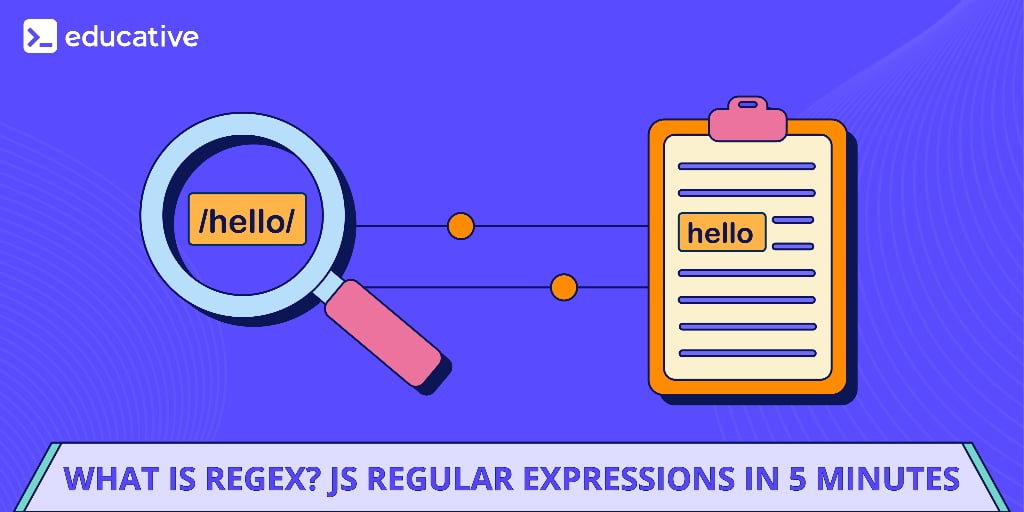
Regex in JavaScript is a powerful tool for searching, matching, and manipulating text using patterns. While it might look intimidating at first (a mix of cryptic symbols and letters), regex can save you hours of manual work once you understand the basics. In JavaScript, Regex is implemented using the built-in RegExp object, making it easy to create, test, and manipulate text patterns.
JavaScript Regular Expressions in Detail
JavaScript Regular Expressions in Detail
Regular Expressions, also known as Regex, come in handy in a multitude of text processing scenarios. Regex defines a search pattern using symbols and allows you to find matches within strings. The applications of this span from software engineering to data science and beyond. In this course, you will begin with an introduction to regex, its history, and various types of regular expressions. You will then learn how to create your own regular expressions using various techniques and special characters. In the latter half of the course, you will explore RegExp Objects, how to parse data, turn phrases into an array of strings, and lastly password and email pattern matching. By the end of this course, you will be a regular expressions expert.
In this blog, we’ll break down regex in JavaScript with practical examples so you can use it effectively in real-world applications.
What is regex?#
A regex is a sequence of characters that defines a search pattern. It’s used to:
Validate input (e.g., check if a password meets complexity rules).
Extract data (e.g., pull dates from a log file).
Search and replace text (e.g., reformat phone numbers).
In JavaScript, regex is created in two ways: using literal notation (/pattern/) or the RegExp constructor:
Literal notation:
/pattern/flagsThis is the most common way. For example, the following pattern/hello/imatches a string containing "hello" (case-insensitive due to theiflag).
// Literal notationconst regex = /hello/i; // Case-insensitive match for "hello"
Constructor notation:
new RegExp('pattern', 'flags')Useful when building the regex dynamically.new RegExp("hello")is equivalent to/hello/in literal notation.
// Constructorconst pattern = "hello"; // Defining patternconst regex = new RegExp(pattern, "i"); // Case-insensitive pattern match
Note: One big difference between these approaches is that the constructor notation allows a quoted expression to be passed. This allows us to make dynamic expressions. The literal syntax uses forward slashes (
/pattern/). The constructor syntax uses quotes ("pattern").
Core regex syntax in JavaScript#
Regular expressions (regex) in JavaScript use a combination of special characters and symbols to match patterns in strings. Below is a categorized list of different regex components:
Character classes: Allow you to match specific sets of characters, such as
\d(digits),\w(word characters),\s(whitespace),\D(non-digits),\W(non-word characters), and\S(non-whitespace).Quantifiers: Define how often a character or group appears, including
*(0 or more),+(1 or more),?(0 or 1),{n}(exactlyntimes),{n,}(at leastntimes), and{n,m}(betweennandmtimes).Anchors: Specify where the match should occur, such as
^(start of a string),$(end of a string),\b(word boundary), and\B(non-word boundary).Groups and capturing: Parentheses
()in a regex create capturing groups. They serve two main purposes:Grouping: They group parts of a regex, allowing you to apply quantifiers (like
*,+,{n}) to the entire group. For example,(ab){3}matches “ababab” because it groups “ab” and applies the quantifier{3}(meaning “three times”).Capturing: They capture the matched text, which can be accessed later (e.g., in the replacement string of a
replaceoperation or through the match result object). For example, to extract all the URLs from a web page, the regex like(https?://\S+)can capture all the URLs.
Alternation (OR): Match one pattern or another using
|(e.g.,apple|orangematches either “apple” or “orange”).Lookaheads and lookbehinds: Lookaheads and lookbehinds are zero-width assertions. They check for a pattern without actually consuming the characters in the string. They are used to match based on what follows or precedes a certain point in the string.
Positive lookahead
(?=...): Asserts that the pattern following the current position matches. For example, the pattern\w+(?=\d)matches “word” in “word123”.Negative lookahead
(?!...): Asserts that the pattern following the current position does not match. For example, the pattern\w+(?!\d)matches “word” in “wordABC” but not “word123”.Positive lookbehind
(?<=...): Asserts that the pattern preceding the current position matches. For example, the pattern(?<=\$)\d+matches “123” in “$123”.Negative lookbehind
(?<!...): Asserts that the pattern preceding the current position does not match. For example,(?<!\$)\d+matches “123” in “123$” but not “123” in “$123”.
Escape characters: Match special characters using
\(e.g.,\.matches a literal dot,\$matches a dollar sign).
Before diving into examples, let’s break down some frequently used regex symbols:
Symbol | Meaning | Example Match |
| Matches any digit ( |
|
| Matches word characters ( |
|
| Matches any whitespace (space, tab, newline) |
|
| Matches any character except the new line |
|
| Matches the preceding character zero or more times |
|
| Matches the preceding character one or more times |
|
| Matches the preceding character zero or one-time |
|
| Matches the beginning of a string |
|
| Matches the end of the string |
|
| Matches one of the characters inside |
|
| Groups a part of the regex |
|
Forgetting anchors can lead to partial matches. For example, /\d+/ matches "123" in "abc123xyz," but /^\d+$/ ensures the entire string is numeric.
Regex flags and modifiers#
The flags are optional and modify the behavior of the regex. Common flags include:
i: Case-insensitive matchingg: Global matching (finds all matches, not just the first)m: Multiline matching (treats each line as a separate string)
JavaScript regex methods#
JavaScript supports many regex methods. Let’s discuss them.
test(): Checks if a string contains a match. It returnstrueorfalse./\d+/.test("123")returnstrue.exec(): Returns an array with information about the first match (ornullif no match). It is useful for capturing groups.match(): Returns an array of all matches (ornullif no match). It behaves differently with and without thegflag.replace(): Replaces matched patterns with a new string."hello world".replace(/world/, "JavaScript")returnshello JavaScript.search(): Returns the index of the first match (or -1 if no match).
Real-world examples#
Regular expressions are widely used in various programming and data-processing tasks. Here are some common real-world applications:
Form validation: Ensuring emails, passwords, and phone numbers follow the correct formats.
Data parsing: Extracting useful data from logs, web pages, and structured text.
Search and replace: Modifying or cleaning large text files efficiently.
Let’s discuss some practical examples of using regex.
Example 1: Searching for text with test()#
The test() method is the simplest way to check whether a string pattern exists. It can be used for checking if user input contains specific words (e.g., “password” in a signup form).
In the code above:
Line 1: We declare a constant variable named
regexand assign it a regular expression. The pattern/javascript/looks for the word “javascript.” Theiflag stands for “case-insensitive.” This means the regex will match “javascript,” “JavaScript,” “JAVASCRIPT,” or any other variation of the word regardless of capitalization.Lines 2–3: We use the
test()method of the regular expression object. Thetest()method checks if a given string contains a match for the regular expression and returnstrueif a match is found andfalseotherwise.
Example 2: Extracting matches with match()#
The match() method returns an array of all pattern occurrences only when the g (global) flag is used. Without the g flag, it returns a match object containing only information about the first match. When using the g flag, this method can extract all URLs, hashtags, or specific words from a document.
In the code above:
Line 2: We use a regular expression
/javascript/gito find all (global,g) case-insensitive (i) occurrences of “javascript” within the stringtext.Line 4: We call the
match()method to return an array of the matches, which is then printed to the console.
Example 3: Replacing text dynamically with replace()#
The replace() method allows you to replace matched text with another string.
In the code above:
Line 1: We assign a string “I love JS!” to the constant variable
text.Line 3: We call the
replace()method on thetextstring. The regular expression/JS/defines the pattern to be replaced. The"JavaScript"is the replacement string. The first matched instance in the original string will be replaced with “JavaScript.”
You can even use capture groups ($1, $2, etc.) to dynamically replace text:
In the code above:
Line 1: We assign a string
"Doe, John"to the constant variablename.Line 2: The
replace()method is called on thenamestring with the/(\w+), (\w+)/regular expression, and"$2 $1"is the replacement string.(\w+): This matches a word (letters, numbers, and underscore but not spaces). The parentheses create a capturing group. The first(\w+)captures the last name.(\w+): This matches one word again, capturing the first name.$2, $1: Here,$2refers to the second captured group (the first name), whereas$1refers to the first captured group (the second name). Hence, the replacement string$2, $1re-constructs the formatted variable in the following order: the second captured group (first name), a comma, a space, and then the first captured group (last name).
Line 4: We print the reformatted name string to the console.
This method can format dates (YYYY-MM-DD → DD/MM/YYYY), change username formats, etc.
Example 4: Extracting complex data with exec()#
Unlike match(), the exec() method returns detailed match information, including groups. It can extract parts of structured data like dates, emails, and phone numbers.
In the code above:
Line 1: We define the regular expression:
/(\d{3})-(\d{2})-(\d{4})/(\d{3}): Matches exactly three digits. The parentheses create a capturing group, meaning this part of the match will be accessible later.-: Matches a hyphen.(\d{2}): Matches exactly two digits (and is another capturing group).-: Matches a hyphen.(\d{4}): Matches exactly four digits (and is a third capturing group).
Line 3: We execute the regular expression against the string “My SSN is 123-45-6789.”. The
exec()method returns an array-like object containing information about the match. If no match is found, it returnsnull.Line 5: We print the entire matched string (“123-45-6789”) to the console.
Lines 6–8: We print all capturing groups to the console.
Example 5: Email validation#
Regex is widely used for form validation. Let’s see how to validate an email address:
In the code above:
Line 1: We define the regular expression for email validation:
/^[a-zA-Z0-9._%+-]+@[a-zA-Z0-9.-]+\.[a-zA-Z]{2,}$/^: Matches the beginning of the string.[a-zA-Z0-9._%+-]+: Matches one or more alphanumeric characters, periods, underscores percent signs, plus or minus signs. This part represents the username portion of the email address.@: Matches the “@” symbol.[a-zA-Z0-9.-]+: Matches one or more alphanumeric characters, periods, or hyphens. This is the domain name part.\.: Matches a literal period (the\escapes the special meaning of the dot in regex).[a-zA-Z]{2,}: Matches two or more alphabetic characters. This is the top-level domain (like .com, .org, .net).$: Matches the end of the string.
Line 3: We test the string “user@example.com” against the
emailRegexand print it to the console.Line 4: We test the string “invalid-email” against the
emailRegexand print it to the console.
Example 6: Password validation#
A strong password consists of at least one lowercase letter, one uppercase letter, one digit, one special character, and a minimum length of 8.
In the code above:
Line 1: We define a regular expression for password validation:
/^(?=.*[a-z])(?=.*[A-Z])(?=.*\d)(?=.*[@$!%*?&])[A-Za-z\d@$!%*?&]{8,}$/^matches the beginning of the string.(?=.*[a-z])ensures that the password contains at least one lowercase letter..*matches any character (except a newline) zero or more times, and[a-z]matches any lowercase letter.(?=.*[A-Z])ensures the password contains at least one uppercase letter.(?=.*\d)ensures the password contains at least one digit (0-9).(?=.*[@$!%*?&])ensures the password contains at least one special character from the set@$!%*?&.[A-Za-z\d@$!%*?&]{8,}matches eight or more characters from the allowed set (uppercase and lowercase letters, digits, and special characters).$matches the end of the string.
Line 3: We create an array of test passwords.
Lines 5–7: We iterate through each password in the
passwordsarray. We use thetest()method inside the loop to check if the currentpasswordmatches thepasswordRegexand log it to the console. Let’s examine the output:P@$$wOrd: false: Fails because it lacks a digit. Replacing theOwith0will make it a correct password.weak: false: Fails because it’s too short and lacks uppercase, digits, and special characters.12345678: false: Fails because it lacks uppercase, lowercase, and special characters.NoSpecialChars: false: Fails because it lacks digits and special characters.
Example 7: Extracting URLs#
Extracting specific information from text, such as URLs, is a common task. Regular expressions provide a powerful and concise way to achieve this. Here’s how you can extract URLs from a string using JavaScript:
In the code above:
Line 1: We define the string containing the URLs we want to extract.
Line 2: We define the regular expression for matching URLs:
/(https?:\/\/[^\s]+)/ghttps?: Matches “http” or “https”. The?makes the “s” optional.:\/\/: Matches “//”. The\characters escape the forward slashes, which have special meaning in regex.[^\s]+: Matches one or more characters that are not whitespace. This captures the rest of the URL.(...): The parentheses create a capturing group to capture the matched URL.g: This flag makes the regex “global,” meaning it will find all matches in the string, not just the first one.
Line 4: We use the
match()method to find all matches of theurlRegexin thetextstring.Line 5: We print the array of URLs to the console.
The g flag finds all URLs. The parentheses create a capture group, so match() returns the URLs.
Example 8: Phone number formatting#
Formatting phone numbers consistently can improve readability and user experience. Regular expressions provide a clean way to achieve this. Here’s a JavaScript function that formats a 10-digit phone number into the (XXX) XXX-XXXX format:
In the code above:
Lines 1–3: We declare a constant function named
formatPhone. We use an arrow function=>which takesphone(a string of 10 digits) as input. Inside this function, we call the.replace()method on thephonestring, using a regular expression pattern to find and format the number./: Denotes the start and end of the regex pattern.(\d{3}): Matches exactly 3 digits (first group - area code).(\d{3}): Matches next 3 digits (second group - prefix).(\d{4}): Matches last 4 digits (third group - line number).($1): Wraps the first group (area code) in parentheses.$2: Keeps the second group as-is.-$3: Places a hyphen before the third group.
Line 5: We call the
formatPhone()function with a sample 10-digit phone number and print the formatted number to the console.
Example 9: Extracting hashtag#
Hashtags are commonly used on social media to categorize content. We can use regular expressions to extract hashtags from a given text in JavaScript. This helps filter tweets and categorize content.
In the code above:
Line 1: We create a string
textthat contains hashtags:#funand#JavaScript.Line 3: We call the
match()method to find all words starting with#using the regular expression:/#\w+/g#: Matches the#symbol.\w+: Matches one word of characters (A-Z, a-z, 0-9, _)./g: a global flag ensures all matches in the string are found.
Regex best practices#
Keep it simple: Overly complex patterns become unreadable.
Comment your patterns: Use
xflag (ES6+) for multiline regex:
const regex = /^\d+ # Match one or more digits$/x;
Test rigorously: Use tools like RegExr to debug.
If you want to learn in detail about JavaScript Regular Expressions, do check out Educative’s course:
JavaScript Regular Expressions in Detail
Regular Expressions, also known as Regex, come in handy in a multitude of text processing scenarios. Regex defines a search pattern using symbols and allows you to find matches within strings. The applications of this span from software engineering to data science and beyond. In this course, you will begin with an introduction to regex, its history, and various types of regular expressions. You will then learn how to create your own regular expressions using various techniques and special characters. In the latter half of the course, you will explore RegExp Objects, how to parse data, turn phrases into an array of strings, and lastly password and email pattern matching. By the end of this course, you will be a regular expressions expert.
Wrapping up and next steps#
JavaScript’s regex might look complex at first, but once you understand common patterns and how to use methods like test(), exec(), match(), replace(), and search(), it becomes an incredibly useful tool for working with text efficiently.
To expand your JavaScript expertise, explore these related blogs:
TypeScript vs. JavaScript: What’s the difference?
To deepen your knowledge, start your journey today with Educative’s JavaScript courses and transform your potential into expertise. Let’s build something incredible together.
Some of the latest courses available on our platform include:
Happy learning!
Frequently Asked Questions
How can regex be used to match time formats?
How can regex be used to match time formats?
What is regex expression in JavaScript?
What is regex expression in JavaScript?
How long does it take to learn regex?
How long does it take to learn regex?
What are standard regex expressions?
What are standard regex expressions?
Why is regex called a regular expression?
Why is regex called a regular expression?
Can I use the replace() method to format dates?
Can I use the replace() method to format dates?
Why doesn’t my regex work as expected?
Why doesn’t my regex work as expected?
Written By:
Amanda Fawcett
Related Courses
Learn HTML, CSS, and JavaScriptJavaScript in Detail: From Beginner to AdvancedJavaScript in Practice: Getting StartedBuilding Front-End Web Applications with Plain JavaScriptJS Assessment: Assess your Javascript skillsLearn Coding Basics in JavaScriptJavaScript Fundamentals Before Learning ReactIntroduction to JavaScript: First StepsWeb Development: Unraveling HTML, CSS, and JavaScriptSimplifying JavaScript: A Handy Guide for Software EngineersJavaScript PromisesLearn to Code: Javascript for Absolute BeginnersJavaScript In Practice: ES6 And BeyondMastering Data Structures and Sorting Algorithms in JavaScriptDiscover: JavaScript Frameworks Behind the Scenes
