Adding Validation to Updating a Question
Explore how to implement model validation in ASP.NET Core API requests to ensure that updates to questions and answers meet defined data requirements. Learn to use validation attributes like Required and StringLength, understand nullable property handling, and test your API endpoints effectively.
We'll cover the following...
We'll cover the following...
Steps to add validation to update a question
Let’s add validation to the request for updating a question:
Open
QuestionPutRequest.csand add the following using statement:
Add the following validation attribute to the
Titleproperty:
We are making sure that a new title doesn’t exceed 100 characters.
Let’s run the app and give this a try by updating a question to have a very long title:

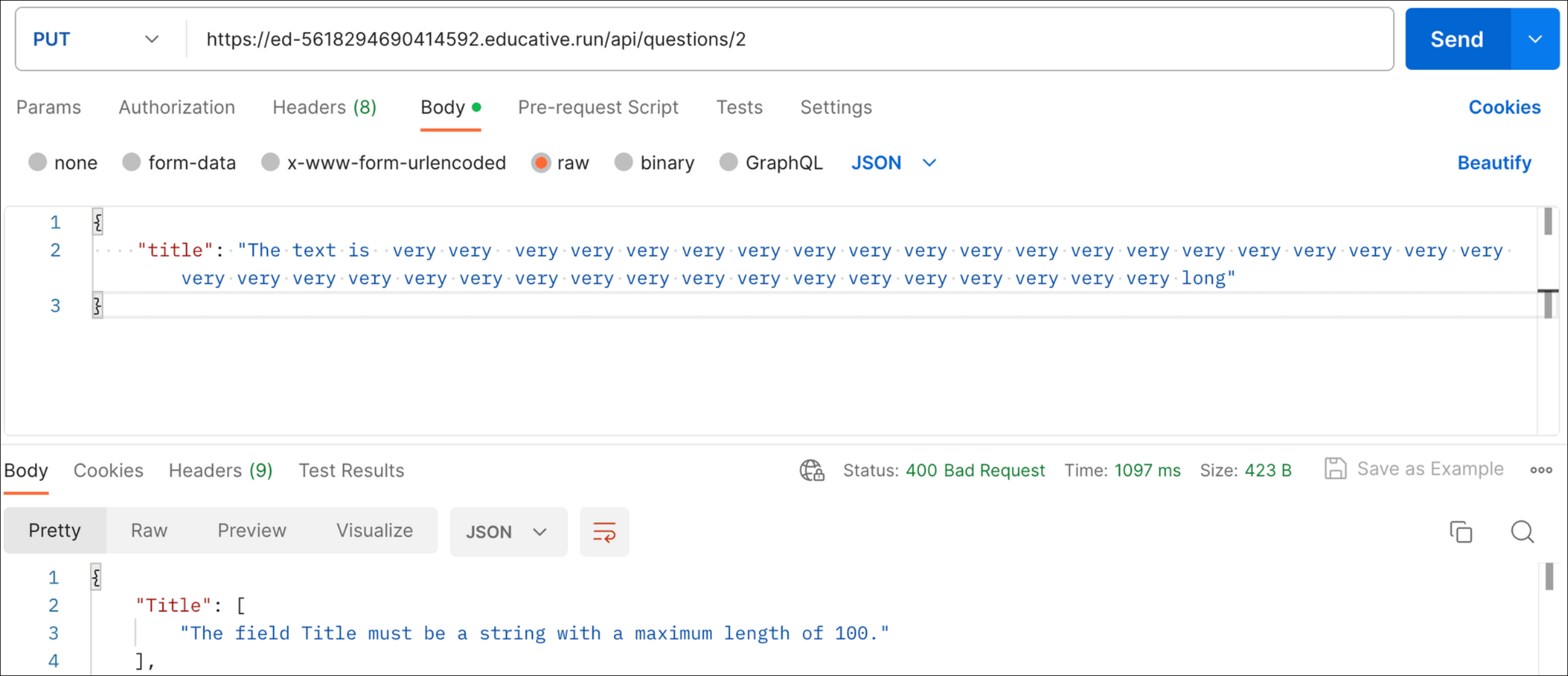
Validation error when updating a question with a long title
A validation error is returned as expected.
Stop the app running so that we’re ready to add the ...