Publishing to Staging
Explore the process of deploying the React frontend to a staging environment on Azure. Understand how to provision an Azure app service, create a staging build, deploy via Visual Studio Code, and configure Auth0 settings for authentication across environments.
We'll cover the following...
Deploy frontend to Azure staging environment
Let's carry out the following steps to deploy our frontend to a staging environment:
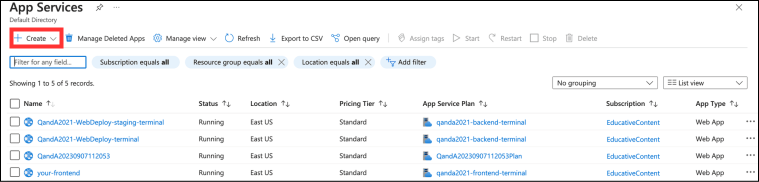
We’ll start by provisioning another Azure app service. So, let's go to the Azure portal in a browser and go to the “App Services” area, and click the “Create” option.

Enter an app name and choose the existing resource group. Remember that the app name we choose needs to be reflected in the
Frontendsetting of theappsettings.Staging.jsonfile in our backend project. Remember also that the runtime stack should be.NET 7and that ...