What went wrong with Claude?
In August, Claude’s performance noticeably dipped.
Responses that were once sharp felt less precise, and the overall flow of conversations slowed. I found myself relying more on GPT-5 and Gemini 2.5 Pro to fill the gap. It wasn’t a total breakdown, but the changes were clear enough to raise a question: was this a temporary regression, or a sign of deeper updates happening in the background?
That question points to a bigger irony. We live in a time when tech leaders predict that “AI will write 90% of code in a few years,” yet our AI systems still slow down and struggle, like a tired intern with too much work. Instead of nonstop progress, we saw AI wobble, moving sideways instead of forward. The future may arrive early, but it still stumbles along the way.
This brings us back to Claude. The model had not simply forgotten how to think or reason. What happened was more ordinary: software issues, messy infrastructure, and the plumbing that keeps everything running in the background.

In this newsletter, we'll examine what exactly went wrong and why Claude’s performance dipped: not because the model weakened, but because the support systems around it faltered.
What went wrong?#
By late August, engineers at Anthropic found that Claude was not slowed by one bug, but by three separate issues that happened simultaneously. On their own, each might have been minor, but together they made the model feel less sharp:
Routing bug: Some requests were routed to the wrong servers, which felt like being directed to the wrong checkout line at a store, where the wait ended much longer. Once a conversation was in the wrong place, it often stayed there, which made the whole exchange slower.
Output glitch: A hardware error sometimes added random characters or broke sentences, like when a printer smudges ink on an otherwise clear page.
Sampling problem: When choosing the next word, a compiler bug sometimes caused Claude to skip the best option and pick a weaker one, like a phone’s autocorrect choosing the wrong word.
We will examine these one by one in the next sections. What matters here is that all three appeared together, making the slowdown harder to diagnose and the overall experience shaky.
Why did Claude sometimes feel like it was on the wrong track?#
When you type a message to Claude and press enter, your words do not teleport into the model’s brain. They are sent to a server, the physical machine running the model, which generates your reply. As millions of people may chat simultaneously, a load balancer, like a traffic cop, sits in the middle. Its job is to spread requests across servers so no single machine gets overwhelmed.
The problem was that the load balancer was not always pointing in the right direction. At the start of August, about 0.8 percent of conversations were sent to a special pool of servers running Anthropic’s in-development 1-million-token models, which were future upgrades for Sonnet and Opus. These servers were not broken, but their models were still being tested and tuned for long documents rather than the short, everyday chats most people had. That mismatch made some replies feel slower, less clear, or slightly off.
Things got noticeably worse on August 29, when a routine tweak to the load balancer unintentionally sent many more short conversations into that long-context pool. By late August, the proportion of misrouted requests had surged, peaking at approximately 16 percent. This was because once a chat started on a server, it usually stayed there, and users who landed in that pool often felt the difference throughout an entire conversation.


Anthropic fixed the routing on September 4 and rolled out the correction across all platforms by mid-September, putting Claude back on its usual track. The episode is a reminder that load balancing is not just background plumbing. In the world of AI, it directly shapes what users feel. When millions of requests are flying in, even a small misstep in traffic distribution can ripple into conversations everywhere. It is not the glamorous side of artificial intelligence, but the steadiness of the traffic cop matters as much as the brilliance of the model itself.
If you are building your own systems and want to avoid issues like these, our “System Design” and “GenAI System Design” courses cover such challenges. They will help you get the fundamentals right before scaling them.
In the end, a small detour in the routing map was enough to throw Claude off balance. It’s a reminder that in AI, the highways and traffic rules matter just as much as the destination itself.
Why did random characters suddenly appear?#
Some users noticed something odd in late August: a perfectly normal English reply from Claude would suddenly occasionally include Thai or Chinese characters, or the sentence would collapse into unreadable text. It wasn’t constant, but it was jarring, much like reading a book and finding a few random pages printed upside down.
The cause was a misconfiguration on Anthropic’s TPU servers, the specialized processors used to run AI models. On August 25, a change was pushed that disrupted the way Claude calculates which token (the small units of text that form words) should come next. Normally, the model assigns probabilities to thousands of possible tokens and then selects from the top choices. Because of the misconfiguration, some tokens were mistakenly given inflated probabilities, even if they made no sense in context.
That is why unexpected Thai or Chinese characters sometimes appeared in the middle of an English sentence, or why code snippets broke with odd symbols. The model was not choosing to be random; it was being pushed off track by a bug in the math used to rank token likelihoods.


The glitch affected Claude Opus 4.1, Opus 4, and Sonnet 4 on Anthropic’s API. The same bug did not appear on third-party platforms such as Amazon Bedrock or Google Vertex AI, since those ran on separate infrastructure. Once the misconfiguration was identified, Anthropic rolled back the change and added automated tests to catch “nonsense character outputs” before new deployments could go live and reach users.
The lesson here is simple but important: even small hardware or configuration tweaks can impact the user experience. If you’re designing AI systems yourself, it’s worth remembering that quality doesn’t just depend on the model, but rather, it depends on the invisible gears around it.
That’s one of the topics we explore in our “Agentic System Design” and “Master Agentic Design Patterns” courses, so teams can build infrastructure resilient enough to keep the AI polished on the surface.
In short, a small server slip made Claude’s answers look stranger than they really were. It’s a reminder that even tiny cracks in the system can show up as big flaws in the conversation.
Why did Claude sometimes skip the best word?#
Claude’s fluency comes from a simple cycle: predict the next word, then the next, and so on. To do this, it generates a ranked list of possible tokens, and usually picks from the top few. In late August, however, a subtle bug meant the best option sometimes was not even on the list. It was like a restaurant where the house special keeps disappearing from the menu, not because the chef forgot the recipe, but because the ordering system left it off.
This was different from the output glitch. In that case, the probabilities themselves were corrupted, which is why bizarre characters or broken syntax appeared. Here, the math was correct, but the mechanism for choosing from the list, called top-k sampling, went wrong. Anthropic had introduced a faster “approximate” version of top-k, but on TPU hardware, the compiler sometimes miscompiled it. Under certain conditions, such as how numbers were represented across chips, the most likely token was dropped. The output was still readable, but the word choices felt less precise and less natural. On its own, that issue might have gone unnoticed. But combined with other bugs, it made Claude feel inconsistent.
If you are new to how this works, we built a simple interactive visualizer (below) to show the process. It is just a toy demo, but it captures the basics: every time you select “Predict Next Token,” the system chooses the next word based on the top-k and temperature settings you adjust in the sidebar. It’s not running a full-scale model under the hood, but it’s a practical way to see how parameter tweaks influence the output.
This bug was especially tricky because it did not always show up the same way. Sometimes, a prompt worked perfectly, other times it stumbled, depending on details such as batch size or even what other operations were running nearby. That inconsistency made diagnosis difficult. Eventually, Anthropic rolled back to the slower but safer exact top-k method and standardized calculations to reduce precision mismatches. The trade-off was a slight drop in efficiency, but the gain was stability and trust, an easy choice when model quality is at stake.
If you’d like to take a closer look at how top-k sampling and next-token prediction actually work, we cover the mechanics step by step in our “Generative AI Essentials” course.
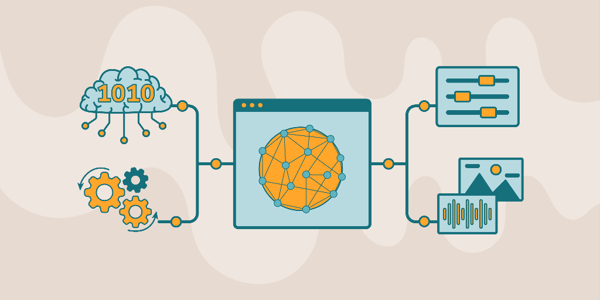
Generative AI is rapidly reshaping how software is built, how decisions are made, and how humans interact with machines. From large language models to multimodal systems, understanding generative AI is becoming a foundational skill. This course focuses on generative AI essentials, giving you the conceptual clarity and practical perspective needed to navigate this fast-moving space with confidence. I built this course from my work in adaptive AI systems, intelligent tutoring platforms, and teaching complex machine learning concepts at scale. A recurring challenge I observed was that learners could use generative AI tools, but lacked a clear mental model of how these systems actually work. This course addresses that gap by breaking generative AI down into its core principles and connecting them to real-world applications. You’ll begin with the fundamentals of generative AI, including its evolution, key architectures, and language representations. From there, you’ll explore foundation models, pretraining, fine-tuning, and optimization strategies that power modern systems. The course also covers large language models, multimodal AI (vision and audio), and how context is constructed within neural systems. Throughout, you’ll develop the ability to interpret, guide, and effectively interact with AI systems. If you want to master generative AI essentials and build a strong foundation for working with modern AI systems, this course provides a clear, structured path to get there.
Why was it so hard to spot?#
If you have ever tried to solve a mystery with too many suspects, you know how messy it can get. That was the situation Anthropic’s engineers faced. Each of the three bugs, the routing mix-up, the output glitch, and the sampling problem, had its own quirks. However, because they appeared at the same time, the symptoms overlapped. One user might report “Claude feels slower,” another might notice “Claude is generating weird characters,” and a third might say “Claude seems less sharp.” With all these complaints piling up together, it was hard to untangle which problem was causing what.
Making things harder, Anthropic’s internal evaluation tests did not raise alarms. Benchmarks often showed Claude performing within normal ranges, partly because the model is skilled at recovering from small mistakes during a conversation. That recovery ability, normally a strength, acted like camouflage here, hiding defects behind otherwise reasonable answers.


Privacy added another challenge. For good reason, Anthropic does not freely inspect user conversations, which meant engineers could not see exactly where things went wrong unless people reported them. Combined with the fact that routine infrastructure tweaks, like load balancing, are usually considered safe and low risk, it is no surprise that the dots were not connected right away. Diagnosing these issues was less like spotting a flashing red light and more like piecing together a blurry puzzle with half the pieces missing.
Anthropic’s postmortem highlights a few lessons that any team building AI systems, or any distributed system, can take to heart.
Do not rely on benchmarks alone: What looks fine on paper may not match the lived experience of users.
Monitor production directly: Build systems that can detect odd behaviors, such as strange characters, before they reach users.
Test low-risk changes too: Even a “routine” infrastructure tweak can cascade in unexpected ways.
Build for graceful rollbacks: The faster you can revert a bad change, the less user trust you lose.
In short, the real takeaway is that running a large-scale AI system is not just about clever models, it is about engineering discipline. The smooth experience in the chat window depends entirely on the machinery behind it being consistently reliable.
What’s next?#
This whole incident is a reminder that software engineering is much more than AI assistance or agents. The bugs that made Claude feel off were not solved by prompting tricks, but by deep engineering knowledge. This involved understanding infrastructure, debugging compilers, and rolling back changes safely. Behind every smooth AI experience, therefore, is a layer of hard, often invisible, engineering work.
Now that Anthropic has fixed the issues, you can focus on getting the most out of Claude. Our course on “Claude Code” is designed to help you take your productivity to the next level, with carefully curated tips and tricks to make your workflow faster, smoother, and more reliable.

Claude Code is quickly emerging as a powerful paradigm for AI-assisted development, where coding becomes a structured conversation rather than a purely manual process. As systems grow more complex, the ability to collaborate with an AI that understands context, automates workflows, and integrates across tools is what defines modern engineering productivity. I built this course from my work in adaptive AI and intelligent systems, where orchestrating context and interaction is central to building effective AI-driven workflows. A consistent pattern I observed was that developers could experiment with AI assistants, but struggled to manage context, maintain control, and scale these interactions across real projects. Claude Code addresses this shift, and this course is designed to make it practical. You’ll learn Claude Code through hands-on workflows: setting up your environment, managing context, and structuring conversation-driven development. You’ll progress into advanced capabilities like custom commands, sub-agents, hooks, and secure automation, while integrating Claude Code with MCP servers and GitHub for real-world collaboration. Developers are already using Claude Code to streamline complex workflows. If you want to build with AI as a true coding partner, this is where you begin.
And if all else fails, your systems will still outperform the Meta AI glasses on launch day, when even the Wi-Fi seemed as if they wanted to take the day off.