The main differences between Claude and Copilot for developers
Claude or Copilot: which should you use? Discover how conversational AI and inline coding assistants differ, when to use each, and how combining both can level up your productivity as a developer.
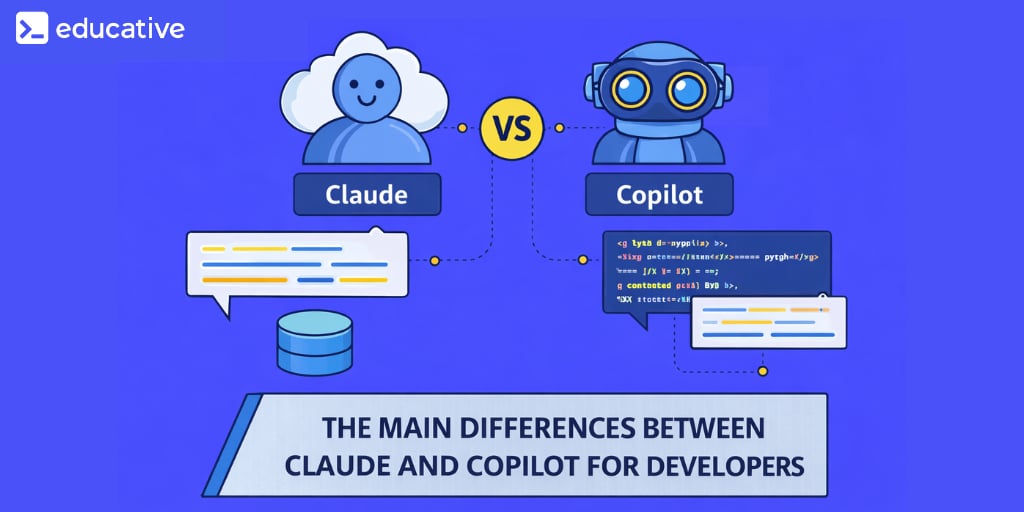
Developers often ask, What are the main differences between Claude and Copilot for developers? The question usually emerges after someone has used one tool extensively and is considering the other. But the comparison is not simply about output quality or model strength. It’s about design philosophy, interaction model, and how each tool embeds itself into your workflow.
Claude and Copilot were built for different entry points into software development. One is fundamentally a conversational reasoning system. The other is an IDE-native coding assistant. When you understand that difference clearly, the practical distinctions become easier to interpret.
This blog is not about declaring a winner. It is about clarifying where each tool excels, how they shape productivity, and how they coexist in real-world engineering environments.
Claude Code: Workflows and Tools

Claude Code is quickly emerging as a powerful paradigm for AI-assisted development, where coding becomes a structured conversation rather than a purely manual process. As systems grow more complex, the ability to collaborate with an AI that understands context, automates workflows, and integrates across tools is what defines modern engineering productivity. I built this course from my work in adaptive AI and intelligent systems, where orchestrating context and interaction is central to building effective AI-driven workflows. A consistent pattern I observed was that developers could experiment with AI assistants, but struggled to manage context, maintain control, and scale these interactions across real projects. Claude Code addresses this shift, and this course is designed to make it practical. You’ll learn Claude Code through hands-on workflows: setting up your environment, managing context, and structuring conversation-driven development. You’ll progress into advanced capabilities like custom commands, sub-agents, hooks, and secure automation, while integrating Claude Code with MCP servers and GitHub for real-world collaboration. Developers are already using Claude Code to streamline complex workflows. If you want to build with AI as a true coding partner, this is where you begin.
Design philosophy: Conversation versus integration#

At the core, Claude is designed as a conversational AI. It expects you to engage through dialogue. You paste code, ask questions, explore ideas, iterate through explanations, and refine responses. It thrives on extended context and sustained reasoning. Its interface encourages reflection and discussion.
Copilot, by contrast, is built to disappear into the editor. It integrates directly into IDEs and surfaces suggestions inline as you type. It is reactive rather than conversational. You don’t typically ask Copilot long-form architectural questions. You write code, and it predicts what comes next.
These philosophies produce fundamentally different user experiences.
Claude invites intentional inquiry. You stop typing and start thinking. Copilot encourages flow. You keep typing and adjust as suggestions appear.
Neither approach is inherently superior. They simply optimize for different cognitive states.
Master GitHub Copilot

GitHub Copilot is redefining how modern software is written, shifting developers from manual coding to AI-assisted development where code is generated, reviewed, and refined in real time. As engineering teams move faster and systems grow more complex, knowing how to effectively use GitHub Copilot is becoming a core productivity skill, not just an advantage. I built this course from my work in intelligent systems and developer tooling, where integrating AI into real development workflows is often the hardest step. A consistent pattern I observed was that developers treated Copilot as autocomplete, rather than a collaborative partner. The difference in outcomes was significant. This course is designed to help you use GitHub Copilot deliberately, guiding it with structured prompts and workflows. You’ll learn GitHub Copilot through hands-on integration in your IDE and CLI, covering inline completions, Copilot Chat, prompt design, unit test generation, debugging, and refactoring. You’ll also explore how Copilot fits into Git workflows, code reviews, and pull request management in real projects. Developers are already using GitHub Copilot to accelerate delivery and improve code quality. If you want to code with AI effectively, this is where you start.
Context windows and interaction depth#
Claude’s large context window enables it to reason over extensive code snippets, design documents, or multi-file examples. Developers can provide architectural overviews, error logs, and detailed requirements in a single conversation. The model can then respond with synthesized explanations or design recommendations.
Copilot operates in a narrower but more immediate context. It observes the current file, surrounding code, and recent edits. Its strength lies in micro-context, like finishing a function, predicting a loop, or suggesting a test case stub. It does not typically reason across multiple modules unless you explicitly provide that information through comments.
This difference affects productivity in subtle ways.
Claude supports macro-level thinking. It helps when you need to refactor a system, reason about trade-offs, or understand unfamiliar architecture.
Copilot supports micro-level acceleration. It helps when you are implementing a known design and want to move quickly.
The scale of context shapes the scale of impact.
Conversational reasoning versus inline completion#
Claude’s conversational model encourages iterative clarification. You can challenge its suggestions, refine constraints, and explore alternatives. It behaves more like a collaborator in a design session.
Copilot’s inline completion model is non-intrusive. It surfaces suggestions silently. You accept or reject them with a keystroke. There is no explicit back-and-forth unless you invoke additional chat features in supported environments.
This difference changes how you think.
With Claude, you formulate questions explicitly. The tool becomes part of your reasoning process.
With Copilot, reasoning happens implicitly. It predicts your likely next step and you evaluate it instantly.
For example, debugging a subtle concurrency bug might benefit from Claude’s long-form analysis. Implementing a repetitive CRUD endpoint might benefit from Copilot’s speed.
These are complementary cognitive patterns.
A common misconception is that all AI coding tools “do the same thing.” In practice, conversational models and inline completion assistants optimize for entirely different interaction styles.
Understanding that distinction reduces unrealistic expectations.
Workflow implications in large codebases#
Large codebases introduce complexity beyond syntax. They contain historical decisions, implicit conventions, and nuanced abstractions.
Claude’s strength in this environment is explanatory reasoning. You can paste a confusing function, provide surrounding context, and ask for an explanation of intent. You can discuss trade-offs between two architectural patterns. You can simulate code review discussions.
Copilot, meanwhile, operates within the editor’s immediate view. It helps maintain momentum in large systems by reducing boilerplate and predicting patterns consistent with the surrounding code. However, it does not inherently understand project-wide conventions unless they are visible in the local context.
In large codebases, the combination becomes powerful. Claude helps you understand the system. Copilot helps you implement it.
This division of labor reflects their core philosophies.
A practical comparison#
Below is a high-level comparison across meaningful dimensions rather than features.
Dimension | Claude | Copilot | Practical Impact |
Core Design | Conversational assistant | IDE-native completion assistant | Different cognitive workflows |
Context Scope | Large, user-supplied context | Local file and immediate surroundings | Macro vs micro reasoning |
Interaction Model | Back-and-forth dialogue | Inline suggestion and acceptance | Reflective vs flow-oriented work |
Codebase Navigation | Requires manual context provision | Integrated with editor view | Explicit reasoning vs ambient assistance |
Best Use Cases | Refactoring, debugging, design analysis | Boilerplate, repetitive patterns, test scaffolding | Strategic thinking vs tactical speed |
This table does not determine superiority. It clarifies intent.
A day in the life: Using both tools#
Consider a developer working on a feature in a mature backend service.
In the morning, they encounter a complex authentication module written years ago. They paste several functions into Claude and ask for a breakdown of how token validation flows through middleware layers. Claude explains the chain of responsibility and highlights potential security implications. The developer asks follow-up questions about edge cases. The conversation clarifies mental models.
Later, the developer begins implementing a new endpoint. Copilot suggests route handlers, request validation logic, and a test skeleton. The developer accepts most of the suggestions with minor edits. The flow remains uninterrupted.
In the afternoon, a performance issue arises. The developer extracts logs and partial stack traces and feeds them into Claude. The tool helps reason about potential bottlenecks and suggests investigation paths.
Back in the IDE, Copilot assists in writing optimized loops and adding benchmark tests.
In this scenario, neither tool replaces the other. Claude facilitates deliberate reasoning. Copilot accelerates execution.
Productivity trade-offs#
Claude requires explicit engagement. You must articulate your problem clearly. The payoff is depth of reasoning.
Copilot requires minimal context-switching. You stay in your editor and maintain flow. The payoff is speed.
The trade-off is cognitive mode switching. If you rely solely on conversational tools, you may interrupt coding flow frequently. If you rely solely on inline suggestions, you may miss opportunities for deeper reflection.
Balancing the two involves understanding when to pause and when to accelerate.
When one tool is more appropriate#
There are scenarios where one tool naturally fits better.
Claude is often more appropriate when:
Evaluating architectural changes
Debugging complex logic
Reviewing unfamiliar code
Drafting design documents
Copilot is often more appropriate when:
Writing repetitive code
Implementing known patterns
Generating test scaffolding
Refactoring small sections
These distinctions arise from interaction style, not model capability alone.
Long-term implications for developer growth#
Another subtle difference lies in how each tool shapes learning.
Claude encourages explanation-driven understanding. When you ask for reasoning, you engage with abstractions. The dialogue can strengthen conceptual clarity.
Copilot, by accelerating implementation, may reduce friction but also reduce deliberate practice in some areas. Developers must remain mindful to review generated code critically rather than accepting suggestions blindly.
Neither tool absolves responsibility. Both require judgment.
Used intentionally, they complement skill development rather than undermine it.
Returning to the central question#
So, what are the main differences between Claude and Copilot for developers?
The answer lies less in model quality and more in workflow integration. Claude is a conversational reasoning partner designed for macro-level exploration and explanation. Copilot is an inline assistant designed for micro-level acceleration within the editor.
One supports reflection. The other supports flow. One invites dialogue. The other anticipates action. Understanding those roles allows developers to choose contextually rather than competitively.
