How to start coding in Python: A practical beginner’s guide
Want to start coding in Python but don’t know where to begin? This practical guide walks you through setup, core concepts, and beginner projects so you can go from zero to writing real programs with confidence.
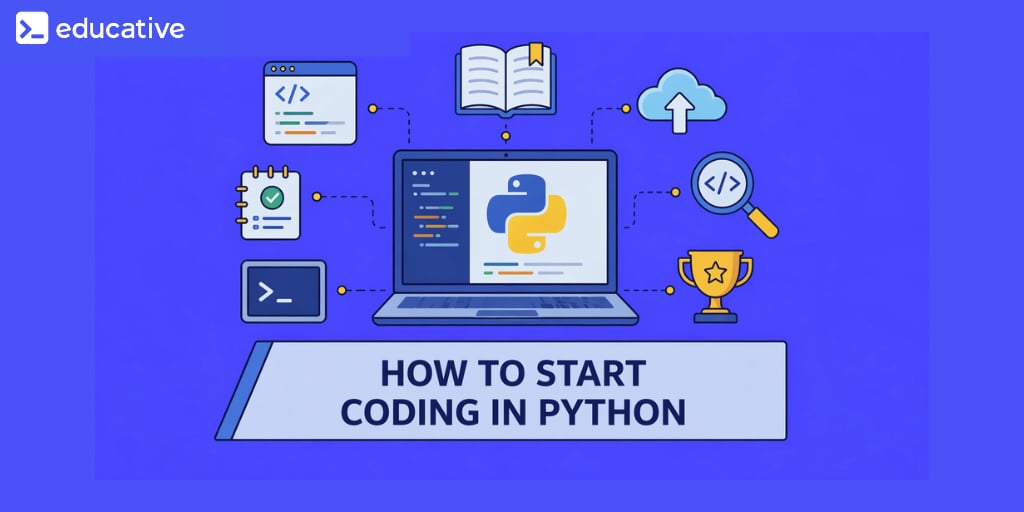
Many people who want to enter the technology field begin by searching how to start coding in Python because the language is widely regarded as one of the most approachable ways to learn programming. Python combines readable syntax with powerful capabilities, which allows beginners to write meaningful programs without needing to understand complex programming rules at the beginning.
Python is used across a wide range of domains, including web development, data analysis, automation, machine learning, and scientific computing. This versatility means that beginners who start learning Python gain access to many different technical career paths. At the same time, Python’s simple syntax allows new programmers to focus on understanding programming concepts rather than memorizing complicated syntax patterns.
Learn Python 3
Python has become the foundation for everything from data science and automation to modern AI workflows. Yet many beginners struggle to learn Python because they spend too much time watching and not enough time building. This course is designed for a different kind of learner, one who wants to learn Python by doing, not just observing, and to build skills that remain relevant in an AI-driven development landscape. I built this course from my experience teaching and designing interactive learning systems at Educative. Across classrooms and platforms, I saw the same pattern: learners could follow tutorials, but struggled to apply concepts independently. The problem was the approach. This course is built on a simple principle: you learn Python best when you write, test, and refine code continuously. You’ll start with core fundamentals, variables, control flow, functions, and data structures, through hands-on exercises that reinforce real understanding. As you progress, you’ll build practical projects like a chatbot and an expense tracker. The course also introduces how to learn Python alongside AI tools, including prompting, debugging, and validating generated code in real workflows. If your goal is to learn Python in a way that prepares you to build real applications and work effectively with AI, this course gives you that foundation from day one.
Learning how to start coding in Python does not require prior programming experience. With the correct setup and a structured learning approach, beginners can quickly move from installing Python to writing small scripts that perform useful tasks.
Why Python is a popular language for beginners#
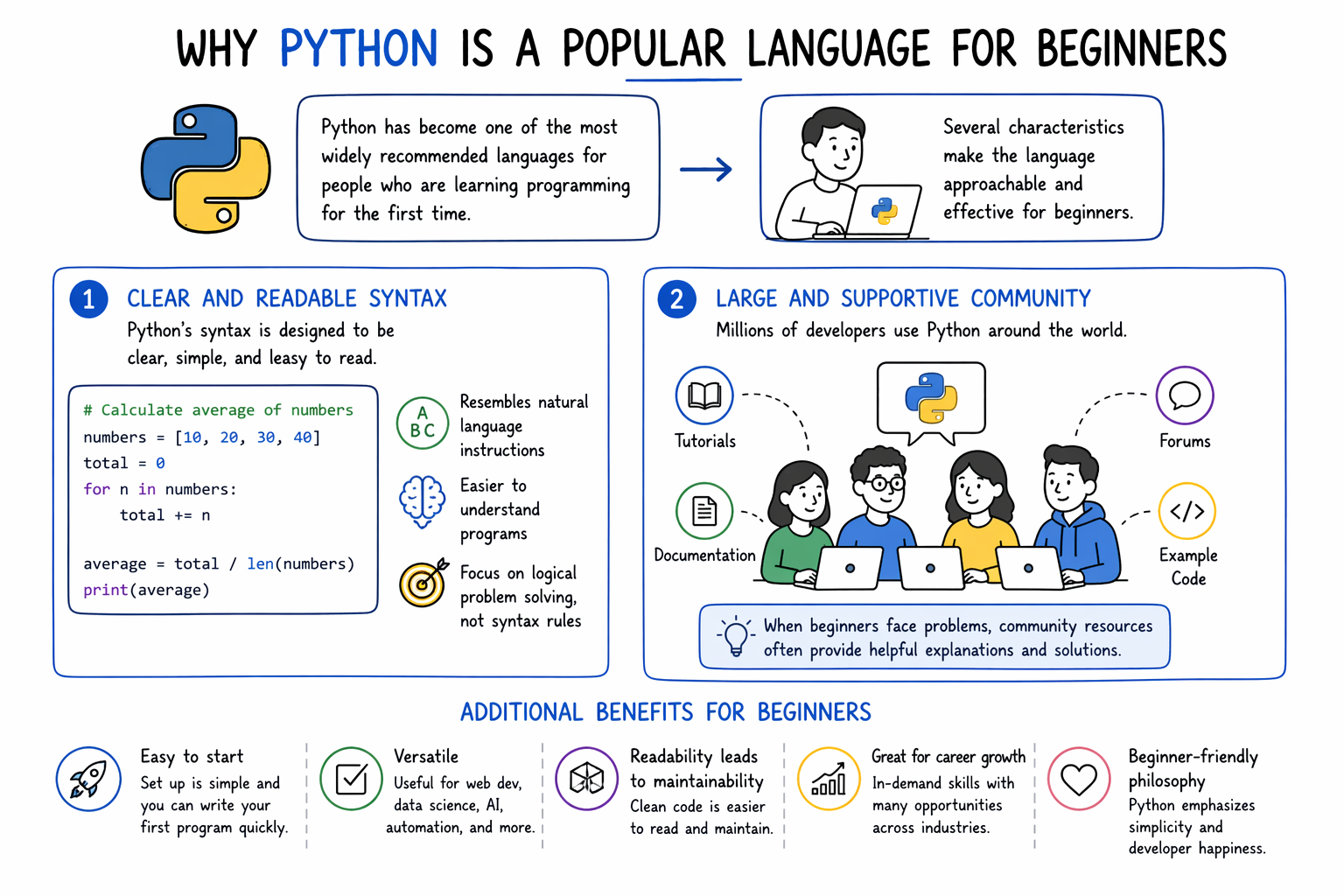
Before giving an introduction to Python, it is important to understand that Python has become one of the most widely recommended languages for people who are learning programming for the first time. Several characteristics make the language approachable and effective for beginners.
One important feature is Python’s clear and readable syntax. Python code often resembles natural language instructions, which makes programs easier to understand. This design allows beginners to focus on logical problem-solving rather than struggling with complicated syntax rules.
Another advantage is the large developer community surrounding Python. Because millions of programmers use the language, beginners can easily find tutorials, documentation, forums, and example code. When new developers encounter problems, community resources often provide helpful explanations and solutions.
Python is also known for its versatility. The same language can be used to build web applications, analyze data, automate tasks, or develop machine learning models. This flexibility allows learners to explore multiple areas of technology without switching languages.
Finally, Python has a rich ecosystem of libraries and frameworks that simplify development tasks. Libraries for data analysis, visualization, automation, and web development enable beginners to create useful applications relatively quickly.
Python for Programmers
Python is one of the favorite programming languages among developers and data scientists due to its intuitive syntax and advanced functionality. These properties arguably also make Python the most in-demand programming language in the world today. Python libraries make things easier and help reduce the time and effort required to solve big problems. This path will help you use your programming experience to quickly adapt Python to your programming requirements. You'll also go through a few brain teasers to test your understanding. By the end, you'll have advanced knowledge to confidently use Python in your next project.
Tools required to begin coding in Python#
Before writing Python programs, developers need a basic development environment that allows them to write and execute code.
Tool | Purpose |
Python interpreter | Executes Python code |
Code editor or IDE | Allows developers to write and edit programs |
Terminal or command line | Runs Python scripts |
Package manager | Installs additional libraries |
The Python interpreter is the core component that executes Python programs. A code editor or integrated development environment (IDE) provides a place to write and organize code. The terminal or command line allows developers to run programs and interact with the Python interpreter. The package manager helps install external libraries that expand Python’s capabilities.
Combined with the best Python resources, these tools create the environment necessary to begin learning how to start coding in Python.
Installing Python on your computer#
The first step in beginning Python programming is installing the Python interpreter on your computer.
Downloading Python#
Visit the official Python website and download the latest version of Python for your operating system. Installers are available for Windows, macOS, and Linux.
Running the installer#
After downloading the installer, run the setup program. During installation on Windows, ensure that the option to add Python to the system PATH is selected. This step allows Python to be accessed from the command line.
Verifying the installation#
Once the installation is complete, open the terminal or command prompt and type the following command:
python --version
If Python has been installed successfully, the terminal will display the installed Python version number. This confirmation indicates that the system is ready to execute Python programs.
Writing your first Python program#
Once Python is installed, beginners can write their first program. A simple starting point is printing text to the screen.
print("Hello, world!")
This program uses the print() function, which sends output to the console. When the program runs, the message inside the quotation marks appears on the screen.
Although this example is simple, it demonstrates the basic structure of a Python program. Writing small programs like this helps beginners understand how code is executed and how instructions control computer behavior.
Practicing small exercises is an important part of learning how to start coding in Python because these programs gradually introduce the structure of programming logic.
Core Python concepts beginners should learn#
After writing a basic program, beginners should focus on learning foundational programming concepts that appear in nearly every Python application.
Variables and data types#
Variables store information that a program can use and manipulate. Python supports several data types, including numbers, strings, and Boolean values. Understanding how to store and retrieve data is essential for writing meaningful programs.
Conditional statements#
Conditional statements allow programs to make decisions. Using constructs such as if, elif, and else, a program can perform different actions depending on specific conditions.
Loops#
Loops enable programs to repeat actions multiple times. Python provides for loops and while loops, which allow developers to iterate through data or repeat tasks efficiently.
Functions#
Functions allow developers to organize code into reusable blocks. By defining functions, programmers can structure complex programs more clearly and avoid repeating the same code multiple times.
These concepts form the foundation of programming and are essential for anyone learning how to start coding in Python.
Practicing Python through small projects#
One of the most effective ways to learn programming is by building small projects that apply newly learned concepts. Projects encourage experimentation and expose learners to real problem-solving scenarios.
Examples of beginner-friendly Python projects include:
Building a simple calculator that performs arithmetic operations
Creating a number guessing game that interacts with the user
Writing scripts that automate repetitive tasks on a computer
Projects reinforce programming concepts because they require combining multiple ideas into a working application. Through experimentation and troubleshooting, beginners gradually develop stronger programming intuition.
Building a consistent learning routine#
Improving programming ability requires consistent practice rather than occasional study sessions. Beginners benefit from developing habits that encourage regular coding and exploration.
Solving coding exercises helps reinforce programming concepts and improve logical thinking. Reading documentation and example code helps developers understand how libraries and functions are intended to be used. Experimenting with modifications to existing programs encourages curiosity and deeper understanding.
Another important habit involves learning from debugging mistakes. Errors are a natural part of programming, and identifying the cause of an error often teaches valuable lessons about how code behaves.
Developing these habits helps learners build confidence and maintain progress as they continue learning Python.
FAQ#
Is Python difficult for beginners to learn?#
Python is generally considered one of the most beginner-friendly programming languages because its syntax is simple and easy to read. Beginners can often write useful programs quickly, which helps maintain motivation while learning programming concepts.
How long does it take to become comfortable with Python?#
The time required to become comfortable with Python varies depending on practice frequency and learning goals. Many beginners become familiar with basic concepts within a few months of consistent study and project work.
Do I need a computer science background to start coding in Python?#
A computer science background is not required to begin learning Python. Many developers start programming through online tutorials, courses, and personal projects without formal academic training.
What should I learn after mastering Python basics?#
After learning the basics of Python, developers often explore specialized areas such as web development, data analysis, machine learning, or automation. Choosing a focus area helps guide further learning and project development.
Conclusion#
Python provides an approachable entry point into programming because of its readable syntax, large ecosystem, and wide range of practical applications. By installing the language, writing simple programs, learning core programming concepts, and practicing through small projects, beginners can gradually build confidence and technical ability.
Understanding how to start coding in Python helps new developers move from curiosity to practical experience, creating a foundation that supports continued growth in software development and technology careers.
