How the 'and' operator works with lists in Python
Confused why Python’s and operator returns lists instead of True or False? Learn truthiness, short-circuiting, and how expressions are evaluated so you can write predictable, cleaner Python code with confidence.
You write a simple logical expression in Python, expecting a clear True or False. Something like this:
result = [1, 2, 3] and [4, 5]print(result)
But instead of True, you get:
[4, 5]
At first, this feels wrong. You used a logical operator, so why didn’t Python return a Boolean?
If you experiment further, the confusion grows. Try swapping values, introducing empty lists, or mixing types, and the results seem inconsistent, until you understand the underlying rule.
This confusion is extremely common, especially when you start working with non-boolean data types like lists. Python’s logical operators don’t behave the way you might expect from other languages or from basic Boolean logic.
This is why understanding how the 'and' operator works with lists in Python is so important. It helps you build a mental model that makes these results predictable instead of surprising, and that mental model becomes critical as your code grows more complex.
Learn Python 3 - Free Interactive Course

Python has become the foundation for everything from data science and automation to modern AI workflows. Yet many beginners struggle to learn Python because they spend too much time watching and not enough time building. This course is designed for a different kind of learner, one who wants to learn Python by doing, not just observing, and to build skills that remain relevant in an AI-driven development landscape. I built this course from my experience teaching and designing interactive learning systems at Educative. Across classrooms and platforms, I saw the same pattern: learners could follow tutorials, but struggled to apply concepts independently. The problem was the approach. This course is built on a simple principle: you learn Python best when you write, test, and refine code continuously. You’ll start with core fundamentals, variables, control flow, functions, and data structures, through hands-on exercises that reinforce real understanding. As you progress, you’ll build practical projects like a chatbot and an expense tracker. The course also introduces how to learn Python alongside AI tools, including prompting, debugging, and validating generated code in real workflows. If your goal is to learn Python in a way that prepares you to build real applications and work effectively with AI, this course gives you that foundation from day one.
Revisiting how the 'and' operator works#
Let’s start with something familiar.
With Boolean values, the and operator behaves exactly as you’d expect:
print(True and True) # Trueprint(True and False) # Falseprint(False and True) # False
The rule is simple: both operands must be True for the result to be True.
But underneath this simple rule is a more powerful mechanism: short-circuit evaluation.
When Python evaluates:
A and B
It does not evaluate both sides blindly. Instead, it follows a sequence:
Evaluate A
If A is falsy → return A immediately
Otherwise → evaluate and return B
This means Python is not really “combining” values; it’s deciding which value to return based on truthiness.
This subtle shift, from thinking in terms of Boolean results to thinking in terms of evaluation flow, is the key to understanding everything that follows.
Moving beyond Booleans: Python’s truthiness model#
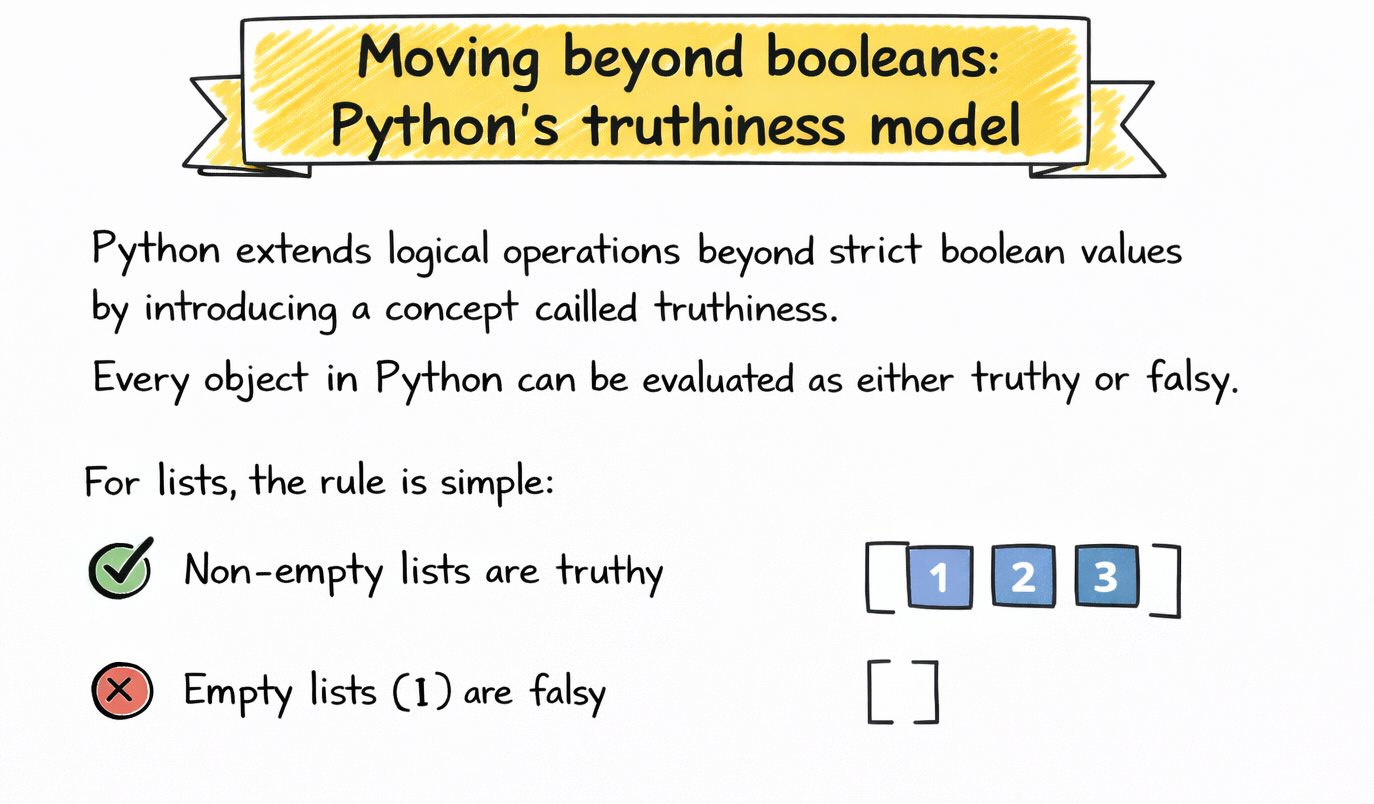
Python extends logical operations beyond strict boolean values by introducing a concept called truthiness.
Every object in Python can be evaluated as either truthy or falsy.
For lists, the rule is simple:
Non-empty lists are truthy
Empty lists (
[]) are falsy
print(bool([1, 2])) # Trueprint(bool([])) # False
But this idea applies more broadly:
Non-zero numbers → truthy
Zero → falsy
Non-empty strings → truthy
Empty strings → falsy
This unified model allows Python to treat different data types consistently in logical expressions.
Once you understand that and operates on truthiness rather than strict booleans, its behavior becomes much easier to reason about.
Python for Programmers

Python is one of the favorite programming languages among developers and data scientists due to its intuitive syntax and advanced functionality. These properties arguably also make Python the most in-demand programming language in the world today. Python libraries make things easier and help reduce the time and effort required to solve big problems. This path will help you use your programming experience to quickly adapt Python to your programming requirements. You'll also go through a few brain teasers to test your understanding. By the end, you'll have advanced knowledge to confidently use Python in your next project.
Can you explain how the 'and' operator works with lists in Python?#
To truly understand how the 'and' operator works with lists in Python, you need to internalize one key rule:
The and operator returns one of the original operands, not a Boolean.
More specifically:
It returns the first falsy operand it encounters
If all operands are truthy, it returns the last operand
Let’s revisit the earlier example:
[1, 2, 3] and [4, 5]
Step by step:
[1, 2, 3]→ truthyMove to the next operand
Return
[4, 5]
So the result is [4, 5].
This behavior is not specific to lists; it’s part of Python’s general design for logical operators. Lists simply make this behavior more visible because they’re not inherently Boolean values.
Step-by-step evaluation of expressions#
Let’s break down several scenarios carefully.
Case 1: Both lists are non-empty#
a = [1]b = [2]print(a and b) # [2]
ais truthy → evaluate bReturn
b
Case 2: First list is empty#
a = []b = [2]print(a and b) # []
ais falsy → returnabis never evaluated
This is short-circuiting in action.
Case 3: Second list is empty#
a = [1]b = []print(a and b) # []
ais truthy → evaluatebReturn
b(even though it is falsy)
Notice something important here: Python does not “fix” or convert the result. It simply returns the operand.
Examples that build intuition#
Let’s expand your intuition with a few more patterns.
print([1, 2] and [3, 4]) # [3, 4]print([] and [3, 4]) # []print([1, 2] and []) # []
Now extend this to chained expressions:
print([1] and [2] and [3]) # [3]
Evaluation proceeds left to right:
[1]→ truthy → continue[2]→ truthy → continue[3]→ returned
But introduce a falsy value:
print([1] and [] and [3]) # []
The evaluation stops as soon as a falsy operand appears.
This pattern, return the first falsy value or the last value, is consistent across all such expressions.
Behavior with mixed data types#
Now let’s mix lists with other data types.
print([1, 2] and "hello") # 'hello'print("" and [1, 2]) # ''print(0 and [1, 2]) # 0
Each operand is evaluated based on truthiness:
[1, 2]→ truthy"hello"→ truthy""→ falsy0→ falsy
The same rule applies regardless of type.
This consistency is powerful. It means once you understand the rule, you can apply it everywhere.
Comparison with Boolean expressions#
Expression | Type | Result | Explanation |
| Boolean |
| Standard boolean evaluation |
| Lists |
| Both truthy → return second |
| Lists |
| First falsy → return first |
| Lists |
| Second returned after truthy first |
The key distinction is this:
Boolean expressions return
TrueorFalseGeneral expressions return actual operand values
This reinforces the deeper answer to Can you explain how the 'and' operator works with lists in Python? It’s about value selection, not just logical truth.
Why Python behaves this way#
This behavior is not accidental. It reflects Python’s design philosophy.
By returning operands instead of strict booleans, Python allows expressions to be more expressive and concise.
Consider this pattern:
result = data and data[0]
If data is empty, the expression safely returns []. If not, it returns the first element.
Without this behavior, you would need an explicit conditional check.
This approach reduces boilerplate and enables elegant patterns, especially in real-world code.
Practical use cases#
One common use case is safe access:
first_item = items and items[0]
Another is fallback logic:
value = user_input and user_input or "default"
Common mistakes and misunderstandings#
A very common mistake is expecting a Boolean result.
print([1, 2] and [3, 4]) # [3, 4]
Another mistake is assuming element-wise comparison. The and operator does not compare list contents; it only evaluates truthiness.
There is also confusion around empty lists behaving like False, even though they are not Boolean values.
These misunderstandings come from applying Boolean intuition too narrowly.
Best practices for using 'and' with lists#
When using and with lists, your goal should be clarity.
If you are relying on truthiness and value propagation, make sure the behavior is obvious to the reader.
If the intent is unclear, prefer explicit conditionals.
For example:
if items:first = items[0]
This is often more readable than a compact expression.
The key is balance. Use Python’s flexibility when it improves clarity, not when it obscures it.
Conclusion#
So, can you explain how the 'and' operator works with lists in Python?
It evaluates operands based on their truthiness and returns one of them, not a Boolean value. Specifically, it returns the first falsy operand or the last operand if all are truthy.
Once you internalize this model, expressions that once felt confusing become completely predictable.
More importantly, you gain a deeper understanding of how Python evaluates expressions, something that extends far beyond just lists.
Happy learning!
