SQL is the standard language for interacting with relational databases. These databases organize information into structured tables that store rows of records and columns of attributes. Because modern organizations rely heavily on databases to manage information, SQL has become a foundational skill across many technical and analytical roles.
Businesses use databases to track customers, manage inventory, record transactions, and analyze operational performance. SQL allows professionals to access that stored information and transform it into useful insights. Whether someone wants to analyze business data, build web applications, or work with data pipelines, learning SQL is often one of the first practical steps toward working with structured data systems.

Learn SQL basics with our beginner-friendly guide to understanding the language of data. You’ll start by learning to talk to a database: asking questions and getting meaningful answers using SQL. With AI-assisted guidance, you’ll explore the essentials—selecting columns, filtering rows, sorting results, and applying logic to uncover patterns in raw data. As your questions become more precise, you’ll explore grouping, aggregation, and subqueries to extract deeper insights. Then you’ll shift gears and learn how to create tables, insert and edit data, and design simple relational schemas. Finally, you’ll tackle real-world scenarios using joins, building multi-table queries, and designing interactive dashboards. You’ll complete hands-on challenges and projects like a student tracker and a game leaderboard. No prior experience with databases or programming is needed—this course is your friendly introduction to the language of data.
Understanding what SQL does#
At its core, SQL allows users to retrieve and manipulate structured data stored inside relational database systems. A relational database organizes information into tables that can be connected through relationships, allowing complex datasets to be stored efficiently while remaining easy to query.
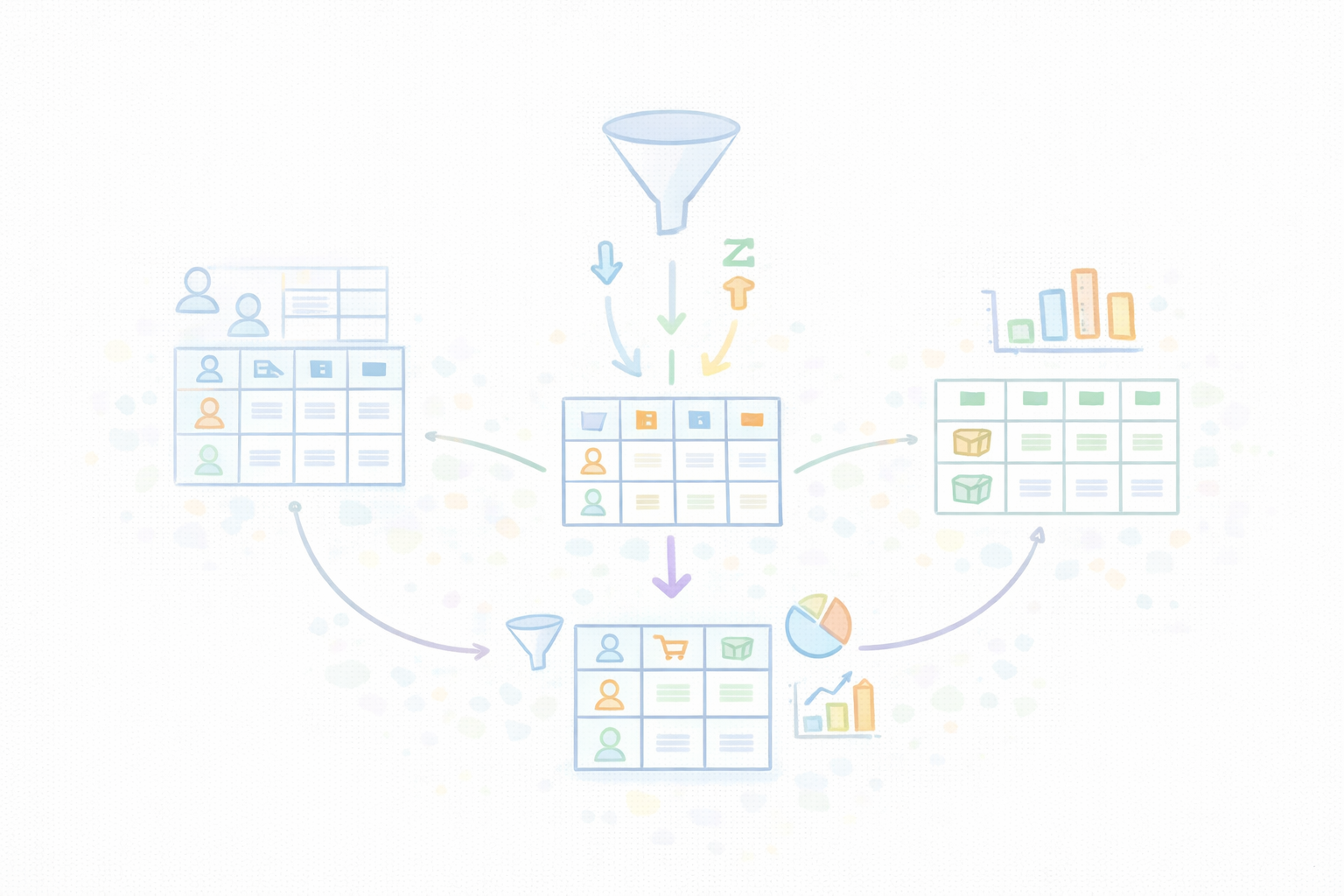
For example, an online store may store its data across several related tables:
A customers table containing customer information
An orders table recording purchases
A products table listing items available for sale
SQL allows users to interact with these datasets in powerful ways. Instead of manually searching through thousands of records, users can write queries that automatically retrieve the exact information they need.
Professionals commonly use SQL to:
Retrieve specific records from large datasets
Filter and sort information based on defined conditions
Combine data from multiple related tables
Generate summaries and analytical insights from raw data
These capabilities make SQL especially valuable in data-driven environments. Analysts can explore trends, developers can power application features, and business teams can monitor operational performance, all by querying data stored in databases.
Because of this broad usefulness, SQL remains one of the most widely used technologies across data analysis, backend engineering, and business intelligence.
A beginner's roadmap for learning SQL#
Many new learners feel overwhelmed when first encountering databases, but the learning process becomes much clearer when broken into stages. Understanding how SQL skills develop over time helps beginners approach the SQL from scratch with realistic expectations and a structured progression.
Learning Stage | Skills Developed |
Beginner | Understanding database tables and simple queries |
Intermediate | Working with joins and grouped data |
Advanced | Subqueries, optimization, and database design |
During the beginner stage, learners focus on understanding how data is organized inside tables and how simple queries retrieve information. At this point, students typically practice writing basic SELECT statements, filtering records with conditions, and sorting results.
In the intermediate stage, learners begin exploring how tables relate to each other. This often involves learning JOIN operations, grouping results, and calculating summary statistics. These skills allow users to combine data from multiple sources and analyze patterns across datasets.
The advanced stage introduces more sophisticated database concepts such as subqueries, query optimization, and database design. These topics help learners write more efficient queries and understand how relational databases are structured internally.
Approaching SQL through these stages helps learners gradually build confidence without feeling overwhelmed by the complexity of real-world databases.
The ability to work SQL is becoming an increasingly in-demand skill, both for software developers and people in less technical roles. If you’re interested in learning SQL and have no prior experience with it, then this course will be your light in a dark tunnel. You’ll start by covering the basics of SQL such as how to create a database, how to insert, query, and update data. You’ll also learn fundamental concepts that developers and data scientists use everyday such as multi-table operations, nested queries, and how to set up views. Throughout, you’ll get to execute SQL queries in your browser and see results in real-time - you won’t need to worry about set-up. At the end of this course, you’ll also get some hands-on practice with common SQL interview questions, so when the time comes, you’ll be ready and confident to answer any question that comes your way. Let’s get started!
Core SQL concepts beginners should study#
Learners who want to understand how to learn SQL for beginners should start by focusing on a small set of foundational concepts. SQL includes many advanced features, but most real-world queries rely on a handful of core commands that form the basis of database interaction.
One of the most important commands in SQL is the SELECT statement. This command retrieves data from a database table and allows users to specify exactly which columns they want to view. For example, a query might retrieve customer names and purchase amounts from a sales table.
Another essential concept is the WHERE clause. This clause filters records based on specific conditions. Instead of returning every row in a table, a WHERE condition allows users to narrow results to records that match defined criteria, such as customers located in a particular region or orders placed during a specific date range.
Sorting results is handled using the ORDER BY clause. When analyzing datasets, users often need to organize results by alphabetical order, chronological order, or numerical values. Sorting helps make query outputs easier to interpret and analyze.
SQL also includes powerful aggregate functions that summarize data. Some of the most commonly used functions include:
COUNT, which calculates the number of records
SUM, which adds numeric values together
AVG, which calculates average values
These functions allow users to transform raw datasets into meaningful summaries. For example, an analyst might calculate total sales revenue, average order value, or the number of customers in a region.
By mastering these core concepts, beginners gain the fundamental tools needed to explore and analyze relational data.
Practicing SQL with real-world examples#
Although SQL syntax is relatively simple, beginners develop true understanding through practice rather than memorization. Writing queries repeatedly helps learners understand how database tables relate to each other and how different commands influence query results.
One effective way to practice SQL is by working with realistic datasets that mirror real-world scenarios. For example, learners might analyze a sales database to identify the most popular products. By writing queries that group sales data and calculate totals, students begin to see how SQL can reveal patterns hidden within raw records.
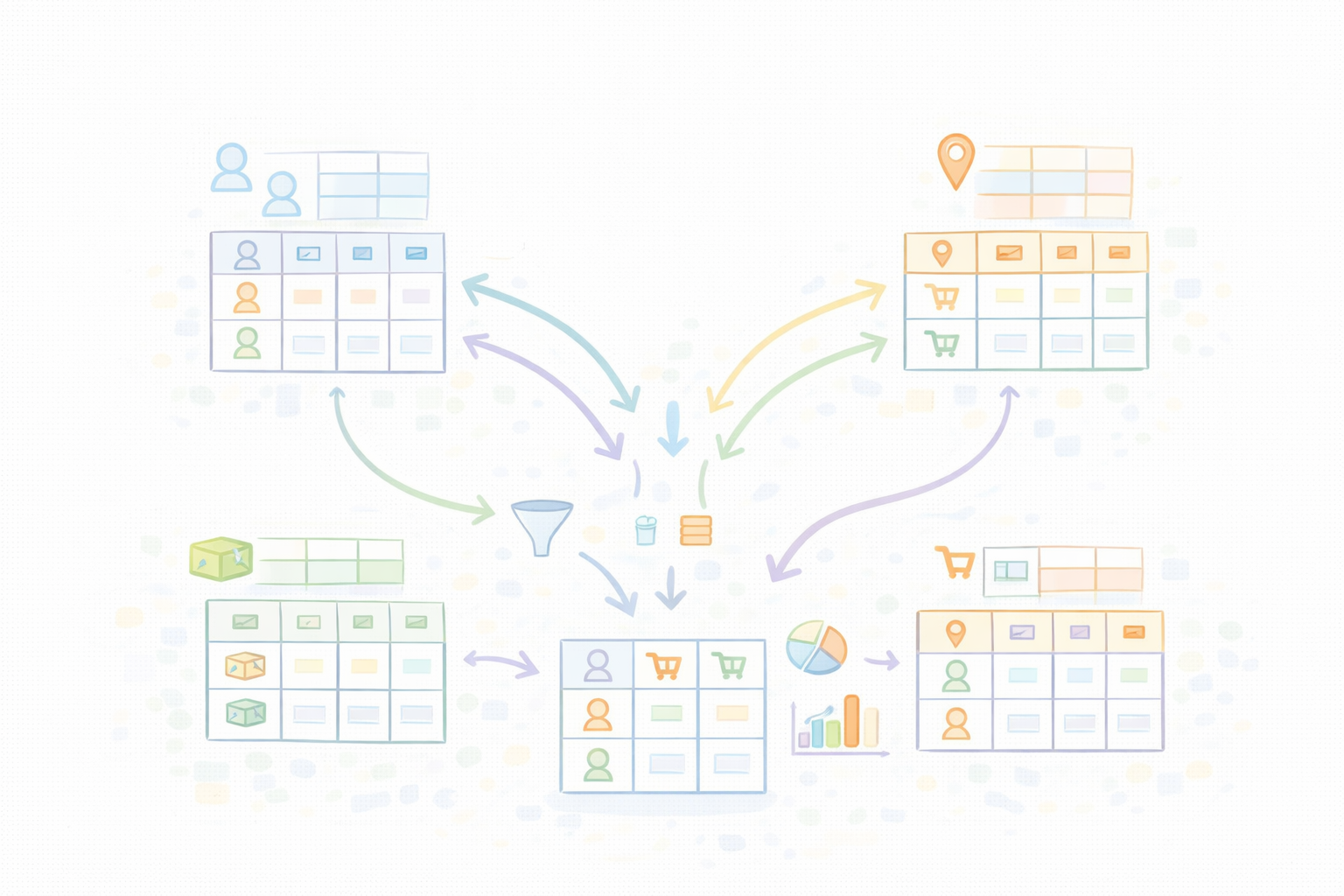
Another useful practice exercise involves retrieving customer information based on geographic location. By filtering results with WHERE clauses, learners gain experience narrowing datasets and extracting targeted information.
Combining data from multiple tables is another important skill that beginners should practice early. Many real-world databases distribute information across related tables. Using JOIN operations allows users to merge data from these tables and build more comprehensive query results.
As learners practice these types of scenarios repeatedly, they develop intuition about how SQL queries behave and how relational data structures work. Over time, writing queries becomes less about remembering syntax and more about solving analytical problems.
Building confidence through structured learning#
Beginners often benefit from following a structured curriculum when learning SQL. While it is possible to learn through scattered tutorials, structured lessons provide a logical progression that gradually introduces more complex concepts.
A well-designed SQL learning path typically begins with simple data retrieval queries before moving into filtering, aggregation, and table relationships. Each new concept builds upon earlier material, reinforcing previous knowledge while expanding the learner’s capabilities.
Structured learning also helps beginners understand how SQL fits into larger data workflows. Databases rarely exist in isolation. In real-world environments, SQL often supports reporting dashboards, data pipelines, analytics tools, and software applications.
When learners follow guided lessons, they not only learn how to write queries but also gain context about how databases function within modern technology systems.
Common challenges beginners encounter#
Many beginners encounter similar obstacles while learning SQL, especially when transitioning from simple queries to more complex database operations.
One common challenge involves understanding how tables relate to each other. Relational databases store information across multiple tables connected by keys, and beginners may initially struggle to visualize how those relationships work. Learning to interpret database schemas and identify relationships between tables becomes easier with experience.
Another difficulty arises when writing queries that involve multiple tables. JOIN operations introduce new syntax and require learners to think carefully about how data should be combined. Beginners often make mistakes during this stage, but repeated practice gradually improves accuracy and confidence.
Learners may also find it challenging to interpret unexpected query results. When a query returns incorrect or incomplete data, beginners must develop the skill of debugging their SQL statements and adjusting conditions, joins, or grouping logic.
These challenges are a normal part of the learning process. As learners continue writing queries and analyzing datasets, these concepts become more intuitive.
Developing long-term SQL skills#
Learning SQL does not end after mastering the basics. Professionals who use databases regularly continue refining their skills by exploring more advanced query techniques and working with increasingly complex datasets.
For example, analysts may learn how to optimize queries for large databases, ensuring that queries run efficiently even when datasets contain millions of records. Developers may explore database indexing strategies that improve performance and support scalable applications.

Professionals also deepen their understanding of how relational databases store and process data internally. This knowledge helps them design better database schemas and write queries that align with how databases execute operations.
Consistent practice is the key factor in developing long-term SQL expertise. Individuals who regularly work with real datasets naturally become faster at writing queries, recognizing patterns, and solving data-related problems.
Is SQL difficult for beginners to learn?#
SQL is generally considered one of the most beginner-friendly technologies in the data ecosystem. The language uses relatively straightforward syntax and focuses on describing what data should be retrieved rather than how algorithms should operate. While beginners may initially struggle with concepts such as joins and aggregation, these topics become easier to understand with practice and exposure to real datasets.
How long does it take to become comfortable writing SQL queries?#
The time required to become comfortable with SQL varies depending on how frequently someone practices. Many learners begin writing basic queries within a few days of study. Developing stronger analytical skills, such as combining tables and analyzing grouped data, typically takes several weeks of consistent practice with realistic datasets.
Do beginners need programming experience before learning SQL?#
Prior programming experience is not required to begin learning SQL. Unlike many programming languages, SQL focuses primarily on querying and organizing data rather than building full software applications. Many analysts, researchers, and business professionals learn SQL successfully even without a traditional software development background.
What tools can beginners use to practice SQL?#
Beginners can practice SQL using a variety of accessible tools and environments. Many learners start with lightweight databases such as SQLite or MySQL that run locally on a computer. Others use browser-based SQL playgrounds or online learning platforms that provide interactive exercises and guided lessons. These tools allow learners to experiment with queries and immediately observe how their commands affect database results.
Final words#
Learning SQL is often one of the most practical steps someone can take when entering the world of data and databases. By understanding how relational databases organize information and how SQL queries retrieve and transform that information, beginners gain the ability to explore and analyze structured datasets.
Approaching the learning process step by step helps reduce complexity. Starting with basic queries, practicing with realistic datasets, and gradually learning more advanced database concepts allows learners to build both confidence and competence.
For aspiring analysts, developers, and data professionals, understanding how to learn SQL for beginners provides a clear starting point for building long-term data skills that are valuable across many industries.
Happy learning!
