How to install NumPy on Python: A step-by-step guide
Ready to start with data science? Learn how to install NumPy on Python using pip, conda, or virtual environments. Set up your environment correctly and begin working with arrays, machine learning, and scientific computing today.

Developers who begin exploring data science, machine learning, or scientific computing often encounter NumPy very early in their learning journey. At this point, many beginners naturally search for how to install NumPy on Python because the library appears in nearly every tutorial related to numerical analysis, data manipulation, and machine learning workflows.
NumPy serves as one of the most important libraries in the Python ecosystem for numerical computing. It introduces efficient data structures for working with arrays and provides mathematical functions that support complex calculations. Because many widely used libraries, such as Pandas, SciPy, and Scikit-learn, rely on NumPy internally, installing it is often one of the first steps developers take when setting up a data science environment.
From Python to Numpy

If you're looking to grow your career in machine learning or data science in this day and age, adding a powerful library to your skill set is an important place to start. In that vein, Python has become one of the most widely used tools in the industry for serious data analytics, and NumPy is probably the most widely used data analytics library. With NumPy, you can manipulate data involving multi-dimensional arrays and matrices (think linear algebra). Join us as we venture into the vast world of NumPy in this comprehensive course. Each lesson dive into the actual implementation of concepts in both pure Python and then NumPy, exploring how NumPy vectorization compares to traditional Python that uses a procedural and object-oriented approach. Practice and test yourself along the way with in-browser coding challenges, quizzes, and more. This course is intended for users who are already familiar with intermediate level Python.
Understanding how to install NumPy correctly ensures that developers can begin working with numerical data, experimenting with machine learning models, and building scientific applications without encountering configuration issues.
What is NumPy?#
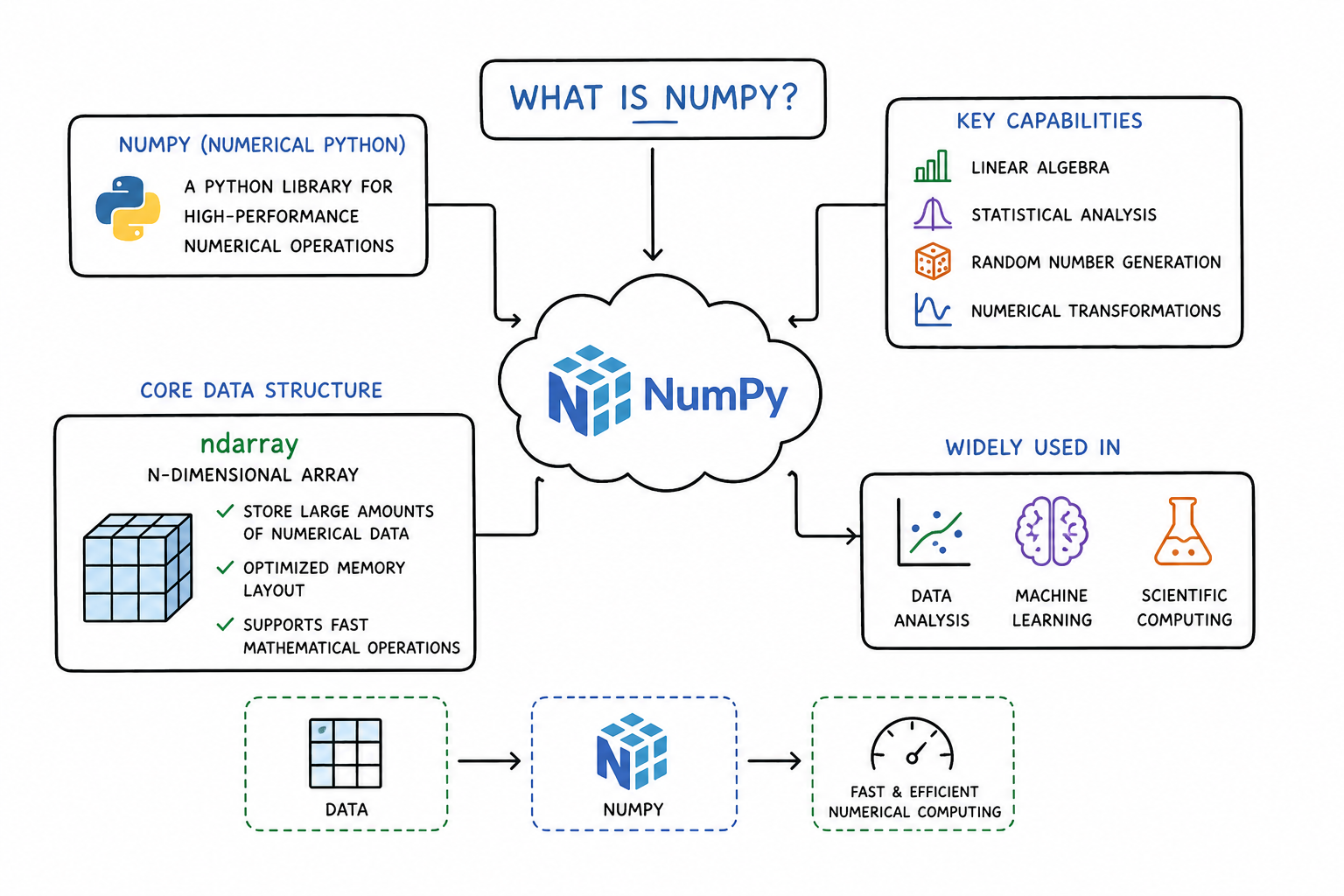
NumPy, short for Numerical Python, is a Python library designed for high-performance numerical operations. It provides tools for manipulating arrays, performing mathematical calculations, and working with large datasets efficiently.
The most important structure introduced by NumPy is the ndarray, which stands for N-dimensional array. This data structure allows developers to store large collections of numerical data in an optimized format that supports fast mathematical operations.
In addition to arrays, NumPy provides functions for linear algebra, statistical analysis, random number generation, and numerical transformations. These capabilities make it a core dependency for many libraries used in machine learning, data analysis, and scientific computing.
Because of its widespread use across the Python ecosystem, learning how to install NumPy on Python is a fundamental step for anyone working with data-driven applications.
Introduction to Data Science with Python

Python is a widely used programming language for data science and analytics. It is used in industries such as finance, healthcare, and technology. It has a simple syntax, supports multiple programming paradigms, and provides libraries for statistical analysis and data visualization. This course is a comprehensive introduction to statistical analysis using Python. You’ll start with a step-by-step guide to the fundamentals of programming in Python. You’ll learn to apply these functions to numerical data. You’ll first look at strings, lists, dictionaries, loops, functions, and data maps. After mastering these, you’ll take a deep dive into various Python libraries, including pandas, NumPy, Matplotlib, seaborn, and Plotly. You’ll wrap up with guided projects to clean, analyze, and visualize unique datasets using these libraries. By the end of this course, you will be proficient in data science, including data management, analysis, and visualization.
NumPy overview#
Feature | Description |
Library name | NumPy |
Programming language | Python |
Main purpose | Numerical computing |
Core structure | N-dimensional array (ndarray) |
Common use cases | Data analysis, machine learning, scientific computing |
Each feature highlights the role NumPy plays within the Python ecosystem.
The library name NumPy reflects its focus on numerical operations performed within Python programs. It extends Python’s capabilities by providing optimized tools for mathematical computations.
The programming language used is Python, which allows NumPy to integrate seamlessly with other Python tools and frameworks.
The main purpose of NumPy is numerical computing. Developers use it to perform calculations on large datasets efficiently.
Its core structure is the N-dimensional array, which supports operations on vectors, matrices, and multidimensional datasets.
Typical applications include data analysis, machine learning model preparation, and scientific computing tasks where numerical efficiency is critical.
Methods for installing NumPy#
There are several ways developers can install NumPy depending on their Python environment and development workflow.
Using pip#
Pip is the default package manager for Python and is commonly used for installing third-party libraries from the Python Package Index. It is the most common method for installing NumPy in standard Python environments.
Using conda#
Conda is a package manager commonly used in data science environments. It is included in the Anaconda and Miniconda distributions and allows developers to manage both packages and environments easily.
Installing within virtual environments#
Virtual environments allow developers to isolate dependencies for individual projects. This approach prevents conflicts between packages that require different versions of libraries.
Installing through Anaconda distributions#
Anaconda is a popular distribution of Python designed specifically for data science and scientific computing. It often includes NumPy preinstalled along with many other libraries commonly used in data analysis.
Each method serves different use cases depending on the developer’s workflow and environment setup.
Step-by-step: how to install NumPy on Python#
Installing NumPy is typically straightforward, but the process may vary slightly depending on the package manager and environment being used.
Method 1: Installing NumPy using pip#
The most common method involves using the pip package manager.
pip install numpy
When this command is executed, pip connects to the Python Package Index and downloads the latest stable version of NumPy. The package is then installed into the current Python environment, making it available for import in Python scripts and notebooks.
This approach works well for developers who are working in standard Python environments or using virtual environments.
Method 2: Installing NumPy using conda#
Developers using Anaconda or Miniconda often install packages using the conda package manager.
conda install numpy
Conda manages dependencies automatically and ensures compatibility between installed packages. Because many data science libraries rely on NumPy, conda environments often provide a stable setup for numerical computing workflows.
Method 3: Installing NumPy in a virtual environment#
Virtual environments allow developers to create isolated Python environments for specific projects.
First, create a virtual environment:
python -m venv myenv
Next, activate the environment:
source myenv/bin/activate
After activation, install NumPy using pip:
pip install numpy
This approach prevents dependency conflicts between different projects and allows developers to manage library versions more easily.
Learning how to install NumPy on Python within virtual environments is particularly useful for developers working on multiple data science projects.
How to verify NumPy installation#
After installation, it is helpful to verify that NumPy is installed correctly and can be imported into Python programs.
The following example demonstrates a simple verification process:
import numpy as np
print(np.__version__)
If the installation was successful, this code will display the installed version of NumPy. This confirms that Python can locate and import the library correctly.
Developers can also try creating a simple array to ensure that the library is functioning as expected.
Troubleshooting common installation issues#
Although installing NumPy is usually straightforward, some users may encounter configuration issues depending on their system setup.
Python version compatibility issues#
Certain versions of NumPy require specific Python versions. If installation fails, checking the Python version and upgrading or downgrading NumPy may resolve the issue.
Package manager conflicts#
Using both pip and conda within the same environment can sometimes lead to dependency conflicts. It is generally recommended to install packages using only one package manager within a given environment.
Environment path problems#
If Python cannot locate NumPy after installation, the issue may be related to environment paths. Ensuring that the correct Python interpreter and environment are active can resolve this problem.
Understanding how to install NumPy on Python correctly can help developers avoid many of these issues during initial setup.
FAQ#
Do I need to install NumPy separately from Python?#
Yes, NumPy is not included in the standard Python installation. Developers must install it separately using package managers such as pip or conda unless they are using distributions like Anaconda that already include the library.
Is NumPy included in Anaconda distributions?#
Yes, NumPy is typically included in the default Anaconda installation along with many other libraries commonly used for data science and machine learning.
Can NumPy be installed in Jupyter notebooks?#
Yes, NumPy can be installed directly from within a Jupyter notebook by running a pip installation command in a notebook cell. However, it is usually recommended to install libraries through the environment used by the notebook.
Why is NumPy important for machine learning?#
NumPy provides efficient data structures and numerical operations that support many machine learning algorithms. Libraries such as Scikit-learn, TensorFlow, and PyTorch rely on NumPy-style arrays for managing datasets and performing numerical computations.
Final words#
NumPy is one of the most important libraries in the Python ecosystem for numerical computing and data analysis. Installing it correctly allows developers to begin working with arrays, performing mathematical calculations, and preparing datasets for machine learning workflows.
By understanding how to install NumPy on Python, developers can set up their environments properly and ensure that their tools are ready for scientific computing, data analysis, and machine learning projects.
