How to learn SQL
Want to master databases and data analysis? Learning how to learn SQL effectively opens the door to software development, analytics, and data science careers. Start practicing real queries and build the database skills every developer needs.
Structured Query Language, commonly known as SQL, remains one of the most essential skills in modern software development, data analysis, and backend engineering. Many developers and analysts begin their technical journey by asking how to learn SQL effectively without becoming overwhelmed by databases and query syntax.
SQL is designed to interact with relational databases, allowing developers to store, retrieve, and manipulate structured data. While the syntax may look unfamiliar initially, SQL becomes surprisingly intuitive once the logic behind queries is understood.
Learning SQL successfully involves understanding database fundamentals, practicing queries regularly, and applying SQL in real-world scenarios. Instead of memorizing commands, learners benefit far more from developing an understanding of how data is organized and retrieved.
An Introductory Guide to SQL
The ability to work SQL is becoming an increasingly in-demand skill, both for software developers and people in less technical roles. If you’re interested in learning SQL and have no prior experience with it, then this course will be your light in a dark tunnel. You’ll start by covering the basics of SQL such as how to create a database, how to insert, query, and update data. You’ll also learn fundamental concepts that developers and data scientists use everyday such as multi-table operations, nested queries, and how to set up views. Throughout, you’ll get to execute SQL queries in your browser and see results in real-time - you won’t need to worry about set-up. At the end of this course, you’ll also get some hands-on practice with common SQL interview questions, so when the time comes, you’ll be ready and confident to answer any question that comes your way. Let’s get started!
Understanding What SQL Is And Why It Matters#
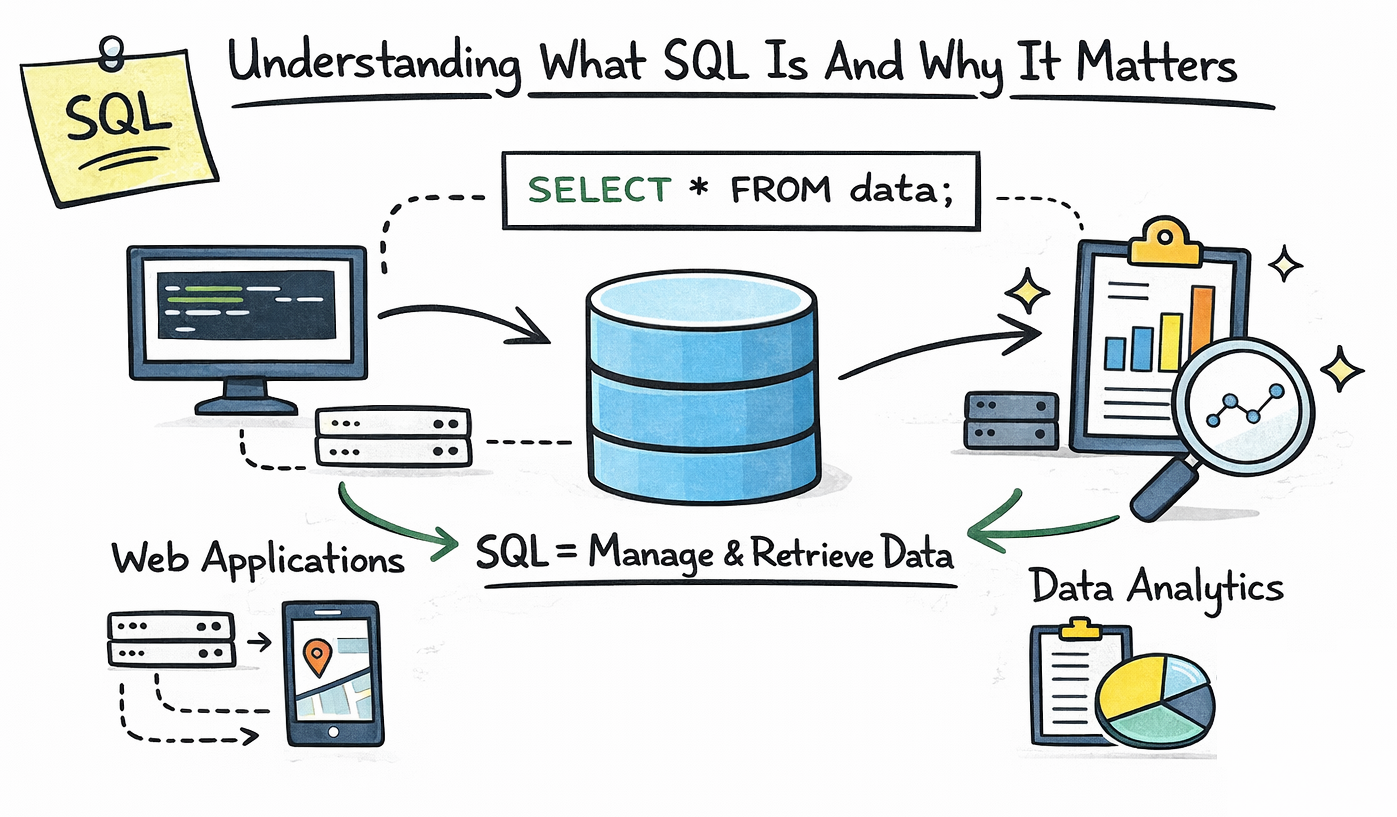
Before diving into how to learn SQL, it is important to understand why SQL remains such a valuable skill across multiple technical fields. SQL allows applications to communicate with databases, making it the backbone of data-driven software systems.
Nearly every modern web application relies on databases to store user information, transaction records, product catalogs, and other structured data. SQL acts as the language developers use to retrieve and manage that information efficiently.
SQL is also widely used in data science, analytics, and business intelligence roles. Analysts often rely on SQL to extract insights from large datasets stored in relational database systems.
Learn SQL from Scratch
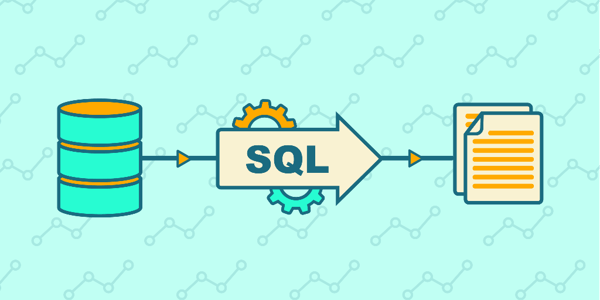
In this beginner-friendly course on SQL, you will dive into the world of structured query language, gradually mastering its core concepts. Through hands-on projects, you will navigate the essentials of SQL without overwhelming emphasis on programming intricacies. Starting with fundamental keywords like SELECT, FROM, and WHERE, you will build a solid foundation for crafting SQL queries. As you progress, you will gradually encounter additional keywords that complement these basics, such as DISTINCT, ORDER BY, GROUP BY, and aggregate functions, which play a pivotal role in refining your SQL skills. Toward the end of the course, you will also gain insights into creating tables and effectively managing the information stored within these tables.
The table below highlights common industries and how SQL is used in each of them.
Industry | How SQL Is Used |
Software Development | Managing application databases |
Data Analysis | Querying and analyzing business data |
Data Science | Extracting and preparing datasets |
Finance | Analyzing financial transactions |
E-Commerce | Managing product and customer data |
Because of its versatility, SQL continues to be one of the most demanded technical skills across many industries.
Understanding Relational Databases#
A critical step in learning SQL involves understanding relational databases. SQL operates within relational database systems, which organize information into structured tables.
Each table represents a specific entity, such as users, orders, or products. These tables contain rows representing individual records and columns representing attributes associated with each record.
Relationships between tables allow databases to store complex information efficiently. For example, an online store might store customer information in one table and order information in another table while linking them using unique identifiers.
Database Concept | Description |
Table | A structured collection of related data |
Row | A single record within a table |
Column | A specific attribute of a record |
Primary Key | A unique identifier for each record |
Foreign Key | A reference connecting two tables |
Understanding these concepts helps learners grasp how SQL queries interact with database structures.
Starting With Basic SQL Queries#
The first stage in learning SQL focuses on understanding how to retrieve data from a database. SQL queries allow developers to ask questions about stored data and receive structured results.
The most fundamental SQL command is SELECT, which retrieves information from one or more tables. Beginners often begin by querying simple tables to understand how SQL syntax works.
For example, a basic SQL query might retrieve all users from a database table or filter records based on specific conditions.
SQL Command | Purpose |
SELECT | Retrieves data from a table |
FROM | Specifies the table being queried |
WHERE | Filters results based on conditions |
ORDER BY | Sorts query results |
LIMIT | Restricts the number of returned rows |
Practicing these commands helps beginners become comfortable interacting with databases.
Filtering And Sorting Data#
Once learners understand basic queries, the next step involves refining search results using filtering and sorting techniques. SQL provides powerful tools for selecting only the data needed from large datasets.
The WHERE clause allows developers to filter results using logical conditions. For example, a query might retrieve only orders placed within a specific date range or customers located in a particular region.
Sorting results becomes important when analyzing large datasets because ordered results allow developers to identify patterns and trends more easily.
SQL Feature | Example Use Case |
WHERE | Retrieve users older than 25 |
AND / OR | Combine multiple conditions |
ORDER BY | Sort customers alphabetically |
LIMIT | Show the first ten results |
These features allow SQL queries to become more precise and useful for data exploration.
Understanding SQL Joins#
Real-world databases often store related information across multiple tables. SQL joins allow developers to combine data from different tables into a single query result.
Joins are essential when working with relational databases because they allow developers to reconstruct meaningful information from normalized data structures.
For example, an e-commerce platform may store customer information separately from order records. SQL joins allow developers to combine those tables to view which customers placed specific orders.
Join Type | Purpose |
INNER JOIN | Returns matching records from both tables |
LEFT JOIN | Returns all records from the left table |
RIGHT JOIN | Returns all records from the right table |
FULL JOIN | Returns all matching and non-matching records |
Understanding joins often represents a turning point where SQL queries become significantly more powerful.
Modifying Data Using SQL#
SQL does not only retrieve data; it also allows developers to modify database records. These commands enable applications to add new data, update existing information, or remove outdated records.
Learning how to manipulate data is an important step in understanding how databases support dynamic applications.
SQL Command | Function |
INSERT | Adds new records to a table |
UPDATE | Modifies existing records |
DELETE | Removes records from a table |
CREATE TABLE | Creates a new database table |
ALTER TABLE | Changes table structure |
Practicing these commands helps developers understand how applications manage persistent data.
Learning SQL Through Real Projects#
The most effective way to learn SQL involves applying queries to realistic datasets. Instead of working only with theoretical examples, learners benefit greatly from exploring real data.
Projects such as analyzing sales data, building simple dashboards, or managing inventory databases allow learners to practice writing queries in practical contexts. These projects help reinforce SQL syntax while also teaching data analysis techniques.
Working with real data also introduces common challenges such as handling missing values, filtering complex datasets, and joining multiple tables together.
These experiences prepare learners for real-world applications where databases often contain thousands or even millions of records.
Tools And Platforms For Practicing SQL#
Many online tools and database platforms make it easier to practice SQL queries without installing complex software. These tools allow learners to run queries in interactive environments while exploring sample datasets.
Popular SQL environments include MySQL, PostgreSQL, SQLite, and cloud-based query tools. Each of these platforms supports standard SQL syntax while providing slightly different features.
Platform | Common Use Case |
MySQL | Web application databases |
PostgreSQL | Advanced database systems |
SQLite | Lightweight local databases |
SQL Server | Enterprise data systems |
BigQuery | Cloud-based analytics queries |
Learning SQL on multiple platforms helps developers become comfortable working with different database systems.
Common Challenges When Learning SQL#
Many beginners initially struggle with SQL because they attempt to memorize query syntax without understanding the logic behind relational databases. SQL queries become far easier to write when developers think about the data relationships they want to explore.
Another common challenge involves writing complex joins and nested queries. These tasks often require patience and experimentation before learners fully understand how multiple tables interact.
Consistent practice remains the most effective way to overcome these challenges. Writing queries daily, analyzing datasets, and solving small problems gradually builds SQL confidence.
A Realistic Timeline For Learning SQL#
Learning SQL does not require years of experience, but it does require consistent practice and exposure to real datasets. Most learners follow a progression that gradually builds query complexity.
Learning Stage | Timeframe |
Understanding database fundamentals | 1 week |
Writing basic SQL queries | 1–2 weeks |
Learning joins and filtering | 2–3 weeks |
Working with real datasets | 1–2 months |
Becoming comfortable with SQL | 2–3 months |
These timelines assume consistent practice and project-based learning rather than passive study.
When You Can Consider Yourself Comfortable With SQL#
Many learners wonder when they can confidently say they know SQL. Comfort with SQL usually appears when developers can write queries without constantly referencing documentation.
At this stage, developers understand how to structure joins, filter large datasets, and combine multiple query operations together. They can also interpret database schemas and design queries that retrieve useful insights.
Developers who reach this level often find that SQL becomes one of the most practical and versatile tools in their technical skillset.
Final Thoughts#
Understanding how to learn SQL effectively requires focusing on database fundamentals, practicing queries consistently, and applying SQL to real-world datasets. Instead of memorizing commands, learners benefit most from understanding how relational databases organize and connect data.
SQL remains one of the most valuable skills across software development, analytics, and data engineering. With consistent practice and hands-on exploration of databases, mastering SQL becomes a manageable and rewarding learning journey.
