IAM Fundamentals
Understand AWS Identity and Access Management (IAM) fundamentals, including authentication, authorization, IAM entities, identity-based and resource-based policies, and best practices for securely managing access to AWS resources.
We'll cover the following...
- Why do we need IAM?
- Components of IAM
- How IAM works
- IAM policies
- Types of IAM policies
- Identity-based policies
- Resource-based policies
- IAM best practices for developers
- 1. Use IAM roles instead of long-term credentials
- 2. Apply the principle of least privilege
- 3. Use customer managed policies for precision
- 4. Leverage resource-based policies appropriately
- 5. Use IAM Access Analyzer and IAM policy simulator
- 6. Separate development, test, and production roles
- 7. Document and monitor IAM usage
- Conclusion
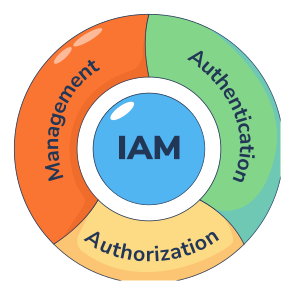
IAM (Identity and Access Management) is an AWS security and management service. It is a global service that helps us provide external entities with secure access to AWS services or resources within our account. It takes care of both authentication (who is accessing the AWS account) and authorization (what services or resources the authenticated entity is trying to access).


This lesson will focus on the importance of IAM, its components, operational mechanisms, and best practices.
Why do we need IAM?
When we create an AWS account, we are provided with login credentials. Using those credentials, we can log in as the root user. The root user has unrestricted access to all AWS services and resources within our account. We may need to provide different users or applications access to AWS services or resources when working with AWS. Providing them with the root user credentials is risky as it may lead to security breaches. IAM helps us provide that required access. It helps us create resources representing the requesting entities in our account and define their scope of permissions. It also helps us monitor, manage, and modify this access as required.

Components of IAM
IAM uses the following components to perform its operation:
IAM entities: These are the IAM resources to authenticate the requesting entity. These include the following:
IAM users
IAM roles
IAM identities: These are the resources that IAM uses to check the permissions scope of the requesting entity. These include the following:
IAM users
IAM roles
IAM groups
Principal: It is the user, service, or application that requests access to an IAM service or a resource. It can be both an external and an internal entity.
Other IAM resources: These IAM resources do not fall into any of the above categories. These are used for a wide range of operations related to identity and access management. These include the following:
IAM policies
Identity providers
IAM Access Analyzer


How IAM works
When an entity requests access to any AWS service or resource, that request is first analyzed by IAM. IAM checks the credentials provided by the requesting entity to authenticate it. After the entity has been authenticated, IAM analyzes the permissions granted to the entity and checks if the current request falls within that pool of permissions. Upon verifying that the entity is authorized to access the requested service or resource, IAM provides the required access.


If the requesting entity fails any of these checks, its request is denied, and an appropriate denial reason is sent as the response to its request.
IAM policies
IAM takes care of authentication and authorization. An IAM policy is a JSON document attached to an AWS resource that is used by the logged-in entity to authenticate itself, or to the AWS resource for which secure access is required. This policy defines the scope of permissions the principal entity will have.


Types of IAM policies
Based on their usage, IAM has five types of policies. These types are as follows:


We'll discuss identity-based policies and resource-based policies in detail in this lesson.
Identity-based policies
Identity-based policies are the IAM policies we attach to the IAM resources used to provide the required access to the principal entities.


Types of identity-based policies
These policies can be categorized into two types:
Managed policies: These are discrete identity-based policies that exist independently of any other IAM resource. Managed policies can be attached to multiple IAM resources at the same time. Managed policies are further categorized into two types:
AWS managed policies: These are prebuilt policies that are created and managed by AWS. These policies are ready to use but less flexible, as they cannot be modified.
Customer managed policies: These are identity-based policies that we create and manage in our AWS account. As they are custom-built policies, we can draft and modify them according to our specific requirements.
Inline policies: These are custom policies drafted during the creation of an IAM resource. Inline policies are attached to the IAM resource they are created with and are deleted when that resource is deleted.


Components of an identity-based policy
The JSON document of an identity-based policy can have the following elements:
Version(optional): This indicates the IAM policy language version being used.Statement(required): This contains the core elements of the policy. It is an array that contains the groups of these core elements in the form of array elements. It can contain the following elements:Sid(optional): It is used to write the description of an individual statement array element. Its value should be a string. It must be unique within the policy.Action(required): It contains the list of actions to be allowed or denied. This can contain any AWS-defined action that specify a specific action related to an IAM service.NotAction(required): It contains the list of actions not to be allowed or denied. It is the inverse of the allowed action. A single statement element can contain eitherActionorNotActionand requires at least one of them to be present.Effect(required): It specifies if theActionsorNotActionsare allowed or denied. Its value can either beAlloworDeny.Resource(required): It contains the list of AWS resources’ARN Amazon resource name (ARN) is a unique identifier AWS uses to identify each AWS resource. NotResource(required): It contains the list of AWS resources’ARN Amazon resource name (ARN) is a unique identifier AWS uses to identify each AWS resource. ResourceorNotResourceand requires at least one of them to be present.Condition(optional): It contains conditions that must be met for the statement to take effect.
An identity-based policy is as follows:
This policy attaches to the authenticating IAM resource. It allows the principal entity to create an S3 bucket named demo-bucket.This sample policy only contains only a single statement with the required elements. It can contain multiple statements depending on the kind of authorization required by the user.
Resource-based policies
Resource-based policies are IAM policies that we can attach to AWS resources to specify the kind of access principal entities can have. These are inline policies drafted and managed by the AWS users.


Pro tip: An IAM role is a resource to which both identity-based and resource-based policies can be attached.
Components of a resource-based policy
The components of a resource-based policy are the same as those of an identity-based policy. However, there are a few additional elements, which are listed below:
Id(optional): This specifies a unique identifier for the policy. Its value must be a string.Principal(required): This specifies the principal entity. The format of its value depends on the kind of principal that we want to specify. We can specify the following as a principal in a resource-based policy:AWS accounts: To specify an AWS account as the principal, we should set the principal’s value to that account’s ID. This account can be the same account to which the resource belongs or an external account.
IAM identities: To specify an IAM identity as the principal, we should set the principal’s value to the ARN of that identity. An IAM user group cannot be assigned as the principal.
AWS services: To specify an AWS service as the principal, we should set the principal’s value to its service principal. A service principal is an AWS-defined identifier of a service. For example, the service principal of AWS Lambda is
lambda.amazonaws.com.
A resource-based policy is as follows:
This policy is attached to the AWS resource to which it grants access. It allows anyone to read the demo-object stored in an S3 bucket named demo-bucket. This sample policy contains only a single statement with the required elements. It can include multiple statements depending on the required authorization.
Identity-based and resource-based policies are the most commonly used IAM policies that ensure security. Understanding their structure is essential for effective access management. A comprehensive understanding of IAM policies enables us to enforce the required security measures and maintain control over access to our AWS resources.
IAM best practices for developers
With AWS securing the infrastructure, our focus shifts to protecting what we build on top of it. This is where applying security best practices becomes critical to fulfilling our responsibilities in the cloud. Let’s explore the most important best practices that developers must consistently apply when working within AWS.
1. Use IAM roles instead of long-term credentials
Roles allow AWS services like EC2 or Lambda to securely access other AWS services. Rather than embedding credentials into the code or storing them in configuration files, we can use IAM roles that can be assumed and rotated automatically. This aligns with the principle of least privilege and reduces the risk of exposed keys. We can attach an IAM role to a Lambda function with permissions like the following so it can list objects from an S3 bucket:
{"Effect": "Allow","Action": "s3:ListBucket","Resource": "arn:aws:s3:::my-secure-bucket"}
When this role is attached to the function, the application code doesn’t need to manage credentials:
import boto3s3 = boto3.client('s3')response = s3.list_objects_v2(Bucket='my-secure-bucket')print([obj['Key'] for obj in response.get('Contents', [])])
This approach aligns with AWS best practices and the principle of least privilege.
2. Apply the principle of least privilege
Grant only the permissions necessary for the task at hand. Start with a minimal set of permissions and refine them as needed. Use policy conditions, such as time-based restrictions or IP address filters, to add extra layers of control.
For example, instead of allowing full s3:* access, restrict to s3:GetObject for a specific bucket and prefix.
3. Use customer managed policies for precision
While AWS managed policies provide convenience, they are generic. For better control, create customer managed policies that are tailored to our organization’s specific needs and reflect our security model more closely. For example, instead of using broad AWS managed policies like AmazonS3FullAccess, we can write our own.
{"Effect": "Allow","Action": ["s3:GetObject"],"Resource": "arn:aws:s3:::my-app-logs/logs/*"}
This ensures access is granted only to the logs/ folder, not the entire bucket.
4. Leverage resource-based policies appropriately
Resource-based policies are attached directly to AWS resources like S3 buckets or API Gateway methods. Use them to define fine-grained cross-account or cross-service access. Here’s a resource-based policy that allows an external AWS account to access our S3 bucket:
{"Effect": "Allow","Principal": {"AWS": "arn:aws:iam::222222222222:root"},"Action": "s3:GetObject","Resource": "arn:aws:s3:::my-shared-bucket/*"}
Always verify these policies with IAM Access Analyzer to avoid granting overly broad permissions.
5. Use IAM Access Analyzer and IAM policy simulator
These tools help validate whether policies behave as expected and identify unintended permissions. IAM Access Analyzer reviews policies for potential risk, while the policy simulator lets us test IAM decisions before deploying them. For example, we can use the IAM policy simulator to test whether a user has permission to perform a specific action:
aws iam simulate-principal-policy \--policy-source-arn arn:aws:iam::123456789012:user/DevUser \--action-names s3:PutObject \--resource-arns arn:aws:s3:::my-bucket/*
These tools help us catch misconfigurations early and avoid privilege escalations.
Note: We'll learn about IAM Access Analyzer and IAM policy simulator in an upcoming lesson in this module.
6. Separate development, test, and production roles
Avoid using the same IAM roles across environments. We can isolate permissions based on environment to minimize blast radius in case of a misconfiguration or breach. We can also use tagging and naming conventions to manage environment-specific access. A common approach is to scope IAM permissions to specific environments using tags. Here’s an example policy that allows invocation of Lambda functions only in development:
{"Effect": "Allow","Action": "lambda:InvokeFunction","Resource": "*","Condition": {"StringEquals": {"aws:ResourceTag/Environment": "dev"}}}
This ensures that roles tied to development can’t access production resources.
7. Document and monitor IAM usage
Monitoring IAM activity is essential for detecting unusual behavior and maintaining accountability. We can use AWS CloudTrail to log IAM-related events such as policy changes, or failed login attempts.
GuardDuty can also flag suspicious usage patterns, such as access from unusual IPs or regions. For example, it may raise an alert if a role suddenly accesses services it hasn’t used before or logs in from an unrecognized network.
Note: We'll learn about these tools in an upcoming lesson.
Conclusion
IAM is a global AWS service that manages authentication and authorization for users and applications. It lets us securely control access using IAM users, roles, groups, and policies. Identity-based policies attach to IAM entities, while resource-based policies attach directly to AWS resources. Understanding these components enables secure, fine-grained access management in AWS environments.