Setting Up Your AWS Account
Explore how to set up your AWS account securely by creating IAM users with limited permissions, enabling multi-factor authentication for added protection, and implementing cost management practices. This lesson helps you navigate the AWS Management Console to access cloud services while maintaining operational efficiency and security.
Amazon Web Services (AWS) is one of the oldest and largest cloud computing platforms, offering various services, including computing power, storage, databases, machine learning, analytics, and more. You need an AWS account to access the vast array of cloud services and resources offered by Amazon’s cloud computing platform.
Create an AWS account
Setting up an AWS account is relatively straightforward. To create your account, visit the AWS website and click the “Create an AWS Account” button. You can then provide contact and payment information and follow the rest of the steps to complete the sign-up process. Once the account is verified, you can log in to the AWS Management Console using the email address and password you used to create the account.


Congratulations! You’ve successfully set up your AWS account. From the AWS Management Console, you can access a wide range of AWS services and start building and managing your cloud resources. However, setting up a new AWS account comes with the responsibility of ensuring security, cost management, and operational efficiency.
Let’s look at some best practices when setting up a new AWS account.
Create an IAM user
When we create an AWS account, it creates a root user account by default. Each account can only have one root user, which has unrestricted access to the resources within the account. We can log into the root user account with a username and password. However, using the root user account in AWS is discouraged as the root user has unrestricted access to all AWS resources and services, making it a security risk if the credentials are compromised. In addition, actions performed by the root user are not traceable to individual users, making it challenging to audit and monitor activity effectively.
To mitigate these risks and improve security posture, it is recommended to create users with limited permissions based on the principle of least privilege instead of using the root user. We can then assign these users only the permissions necessary to perform tasks, reducing the risk of unauthorized actions.


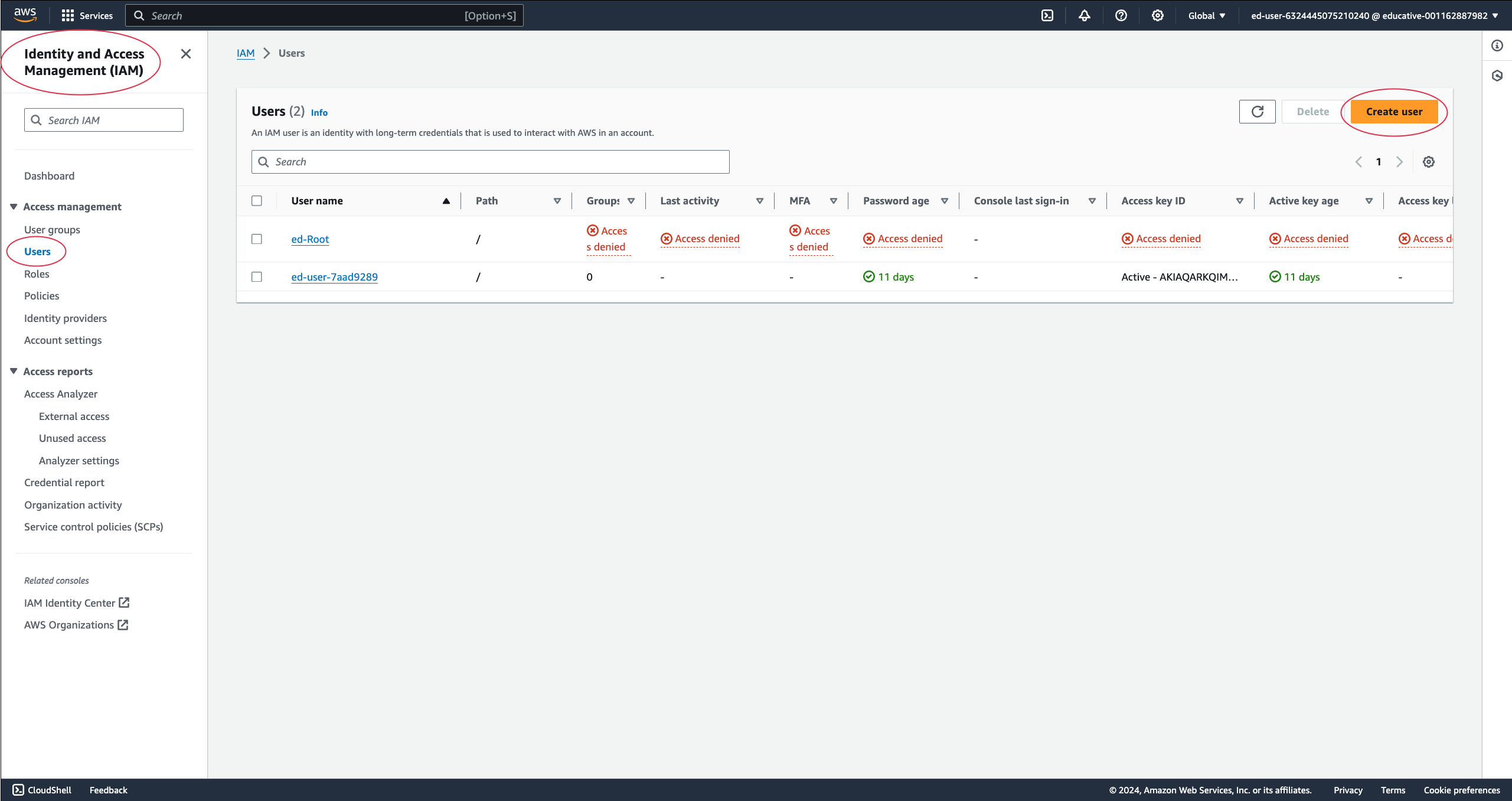
AWS Identity and Access Management (IAM) service enables us to securely manage access to AWS resources. IAM allows us to control who can access our AWS resources and what actions they can perform.
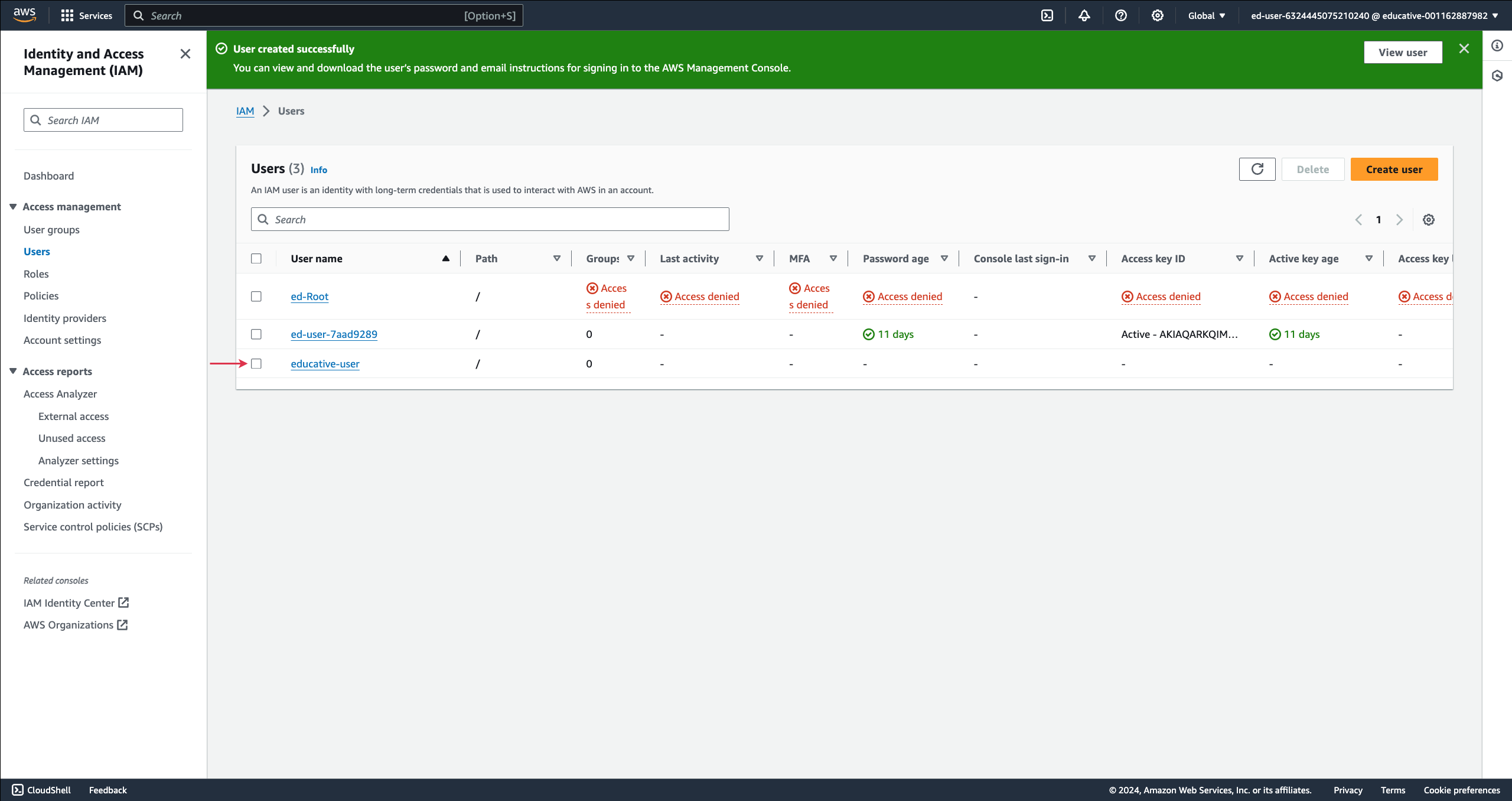
Follow the steps below to create an IAM user:

Tip: Create users with limited permissions based on the principle of least privilege.
Multi-factor authentication (MFA)
Enabling multi-factor authentication (MFA) adds an extra layer of security to our AWS account by requiring an additional verification method, typically a temporary code from a mobile app or a hardware token, in addition to a regular password.
Here’s how to enable MFA for our AWS account:

Monitor and manage costs
It is important to implement cost management practices to monitor and optimize AWS spending. We can use AWS Cost Explorer to analyze usage and spending patterns, set up billing alerts to notify you of cost overruns, and leverage AWS Budgets to set spending limits and track expenses.
Here’s how you can set up a billing alarm to alert you when your AWS charges reach $10.


Note: If you can not see the “Billing/Total Estimated Charge” metric, you need to enable billing alerts in your account. Follow the steps below to enable the billing alerts.
Enable billing alerts in the AWS account
Follow the steps below to enable billing alerts in the AWS account:
On the AWS Management Console, search for “AWS Billing and Cost Management” and select “AWS Billing and Cost Management” from the search results.
Select “Billing Preferences” from the sidebar menu.
Click the “Edit” button in the “Alert preferences” section.
Select the “Receive CloudWatch Billing alerts” option and click the “Save preferences” button.
The billing alerts have been successfully enabled. Wait a few minutes before the “Billing/Total Estimated” metric appears in your account.