Getting Ready: The LinkedIn System
Explore how to design the LinkedIn platform by understanding its core features like profiles, connections, groups, and notifications. Learn to define system requirements and break down the design using a bottom-up approach with UML diagrams.
Problem definition
LinkedIn is a professional networking platform that helps users manage their professional identity. It enables users to connect with trusted professionals, grow their careers, and explore new opportunities.
The platform enables individuals to create comprehensive professional profiles, featuring their education, experience, skills, achievements, and endorsements. Users can also create posts, interact with others’ content, join or create groups, and manage connections.
In addition to personal profiles, LinkedIn supports company pages, where organizations can list job openings and recruit candidates. Users can search for other professionals, send connection requests, exchange messages, and receive notifications about relevant activity.
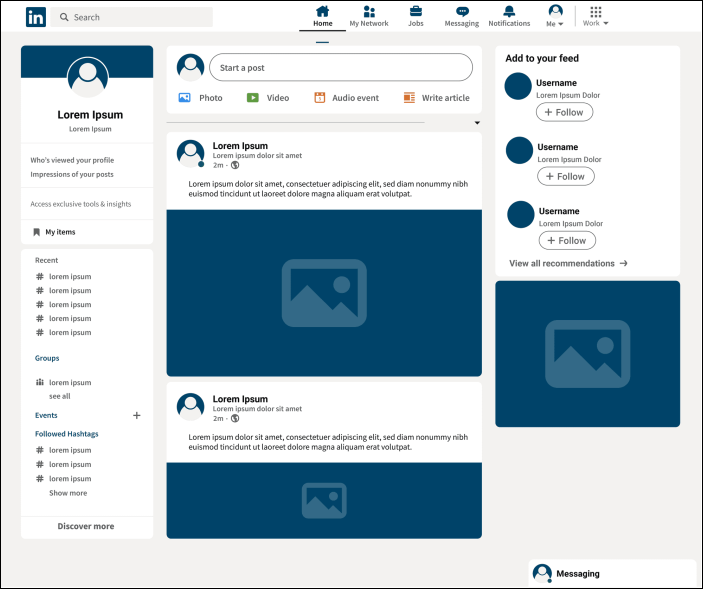
LinkedIn is very similar to Facebook in terms of its layout and design. However, its features are more specialized because it caters to professionals. If we are familiar with using Facebook or any similar social network, we may find LinkedIn familiar.

Expectations from the interviewee
LinkedIn offers a range of functionalities to its users. As our focus is limited to a specific set of features, it is essential to narrow down the components included in the LinkedIn design. The following sections highlight some key areas that the interviewer may expect you to explore during the system design discussion.
Discoverability
Understanding how users search for content and other users is important. The relevant questions include:
How are users able to search other users’ profiles?
Can users search for groups and pages?
Connections and following
Both connections and following are the primary features of LinkedIn. Make sure to ask the following questions of the interviewer:
How are users able to connect with other users?
How can users follow or unfollow other users or company pages without needing to connect?
Groups, pages, and jobs
Groups and pages on LinkedIn create a space for people looking for similar job opportunities. Make sure to define your requirements. You may ask the following questions of the interviewer:
Can users create both groups and company pages?
Can users join a group?
Can users follow company pages?
Can company pages post jobs that users can apply for?
Alerts
Notifications and alerts enable users to stay informed about activity within their circle. Therefore, you may want to understand how alerts work in your system. You may ask the following questions:
How will users be notified about messages, connection requests, or comments on their posts?
Design approach
We’ll follow a bottom-up design approach to build the LinkedIn system. The steps include:
Design the smallest units first (e.g., posts, comments, users, connections).
Combine these to build larger components (e.g., groups, company pages, profiles).
Continue layering until the complete LinkedIn platform is modeled.
Design pattern
During an interview, it is always a good practice to discuss the design patterns that LinkedIn falls under. Stating the design patterns gives the interviewer a positive impression and shows that the interviewee is well-versed in the advanced concepts of object-oriented design.
Try to answer the following question. If you are not familiar with design patterns, don’t worry! You can learn about them by asking, “Define design patterns.”
.
Let’s explore the requirements of the LinkedIn design in the next lesson.