Search⌘ K

Moving Objects with Mouse

Learn how to use DragControls and TransformControls to move objects with the mouse in the Three.js scenes.

Dragging objects

Besides selecting an object, a common requirement is the ability to drag and move objects. Three.js also provides default support for this. The following screenshot shows the output:

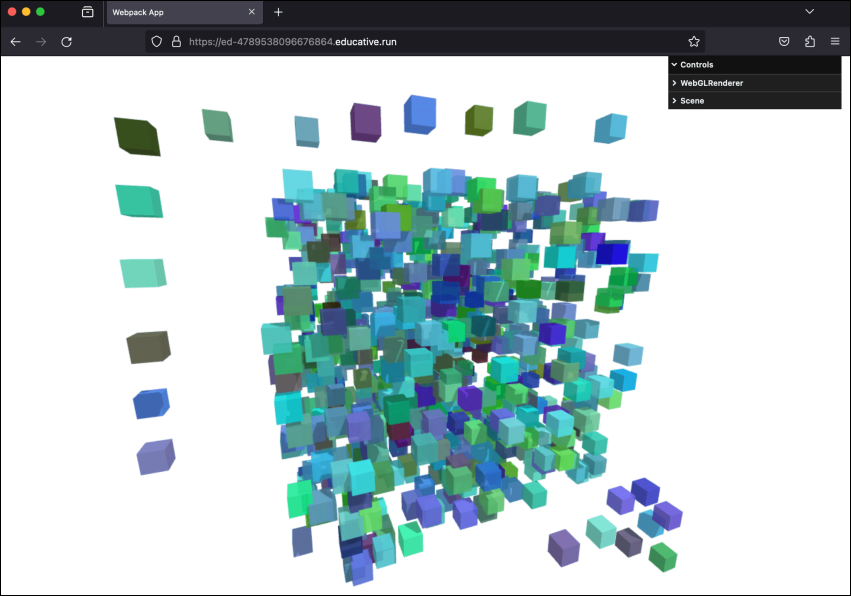
Dragging an object around the scene using the mouse

Example: Dragging objects

Let’s execute the dragging-objects.js example in the below playground and see it in the output. This time, when we click on an object, we can drag it around the scene:

const path = require('path')
const HtmlWebpackPlugin = require('html-webpack-plugin')
// const CopyWebpackPlugin = require('copy-webpack-plugin')
const fs = require('fs').promises

// we should search through the directories in examples, and use
// the name from the files to generate the HtmlWebpackPlugin settings.
module.exports = async () => {

  return {
    module: {
      rules: [
        {
          test: /\.glsl$/i,
          use: 'raw-loader'
        }
      ]
    },
    mode: 'development',
    entry: {
      'chapter-9': './samples/chapters/chapter-9/dragging-objects.js',
    },
    output: {
      path: path.resolve(__dirname, 'dist'),
      filename: 'bundle.js',
      publicPath: '/',
    },
    plugins: [
      new HtmlWebpackPlugin(),
    ],
    experiments: {
      asyncWebAssembly: true
    },
    devServer: {
       allowedHosts: 'all',
       host: '0.0.0.0',
       port: '3000',
       static: [
        {
          directory: path.join(__dirname, 'assets'),
          publicPath: '/assets'
        },
        {
          directory: path.join(__dirname, 'dist')
        }
      ] 
    },
  mode: 'development',
  }
}
Create scene with randomly placed cubes that can be dragged using mouse
...